Maxon has officially announced multi-touch gesture support across its suite of creative applications, optimizing Cinema 4D and ZBrush specifically for Apple's latest touchscreen MacBook Pro models. The update introduces direct viewport manipulation, intuitive gestural sculpting, and enhanced workflow integration for digital artists working within macOS 27.
By leveraging hardware acceleration and low-latency touch response, 3D artists can now rotate, pan, zoom, and sculpt directly on display surfaces without relying exclusively on external graphics tablets or traditional mouse inputs. This release marks one of the most significant professional creative software updates since Apple detailed how macOS adapts UI controls for touchscreen MacBook Pro hardware.
Maxon Brings Touch Controls for Cinema 4D to Touchscreen MacBook Pro
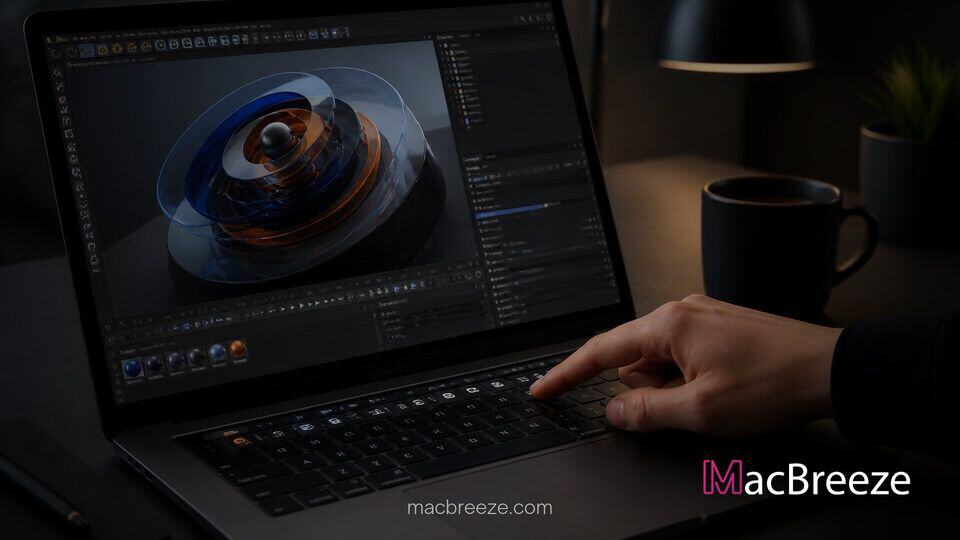
The integration of multi-touch navigation into Cinema 4D offers motion designers and 3D animators a much more direct interaction model. Instead of relying solely on keyboard modifier shortcuts combined with mouse dragging, creators can use standard two-finger pinch-to-zoom, two-finger pan, and intuitive drag rotation directly on the screen to examine complex 3D environments. This touch-first interaction layer operates alongside traditional keyboard and trackpad inputs, allowing professionals to maintain their established hotkey muscle memory while adopting touch controls where they offer speed advantages.
Beyond basic camera placement, the updated touch framework includes dynamic onscreen controls tailored for lighting positioning and camera focus. Designers can tap directly on a model geometry to set camera focus points or drag light targets across the scene in real time, making scene staging considerably faster during pre-visualization stages.
Maxon Announces Touch Support for Cinema 4D and ZBrush
While Cinema 4D receives substantial UI updates for spatial positioning, Maxon's digital sculpting application, ZBrush, receives deep touch engine enhancements. Digital sculptors can now apply pressure-sensitive strokes and smooth surfaces using touch input directly on the display surface. The integration takes full advantage of display palm-rejection algorithms built into macOS 27 to ensure that hand placement on the screen does not trigger unintended brush strokes.
Maxon confirmed that touch input in ZBrush supports custom touch pie-menus, allowing artists to swipe outward from any point on the canvas to select brushes, adjust stroke intensity, or invert mesh masks on the fly.
Interactive 3D Model Manipulation in macOS 27
Underneath the hood, Maxon's engineering team worked closely with Apple to implement native APIs introduced in recent system software updates. As discovered when Apple released macOS 27.2 with expanded Siri AI languages and touch code frameworks, the OS provides custom hooks for low-latency touch translation directly to Metal graphics pipelines. This ensures zero perceptible lag during complex polygon operations or real-time viewport shading modes.
The application intelligently scales hit targets for menus, object axes, and keyframe handles when input is received via touch, preventing accidental misclicks while preserving screen real estate for rendering viewports.
Spatial Preview Integration With Apple Vision Pro
In addition to surface touch gestures, the new update bridges desktop 3D modeling with spatial computing. Creators working in Cinema 4D on a touchscreen MacBook Pro can push real-time scene views directly to Apple Vision Pro headsets. Touch adjustments made on the laptop display, such as twisting a geometry or tweaking material displacement, update instantaneously within the spatial visionOS viewport, giving creators immediate feedback on depth and real-world proportions.
Impact on Professional 3D Design Workflows
The adoption of touch controls by industry-standard software developers like Maxon validates Apple's broader hardware evolution. As Apple is expected to phase out non-touch premium MacBook Pros in favor of touch-enabled high-end displays, software vendors are moving quickly to ensure their creative tools deliver tactile control schemes.
For mobile artists, working directly on high-luminance displays reduces the necessity of carrying secondary pen displays when traveling. The capability complements hardware advances like the 2,000-nit PROLED XDR display powered by tandem OLED technology, giving artists color-accurate visuals alongside tactile viewport interaction.
Industry analysts note that while traditional mouse-and-keyboard setups will remain dominant for complex node editing and keyframe timing, hybrid workflows combining touch gestures for navigation with mechanical shortcuts represent a notable productivity improvement.
Release Timeline and Software Availability
Maxon confirmed that the touch-enabled updates for Cinema 4D and ZBrush are rolling out immediately as free software updates for all active Maxon One subscribers and perpetual license holders with active maintenance agreements. Users can install the latest versions via the Maxon App starting today.
As Apple continues expanding its touch-capable Mac ecosystem, software support from leading 3D software creators ensures that artists can take full advantage of new hardware paradigms without compromising performance or precise control.