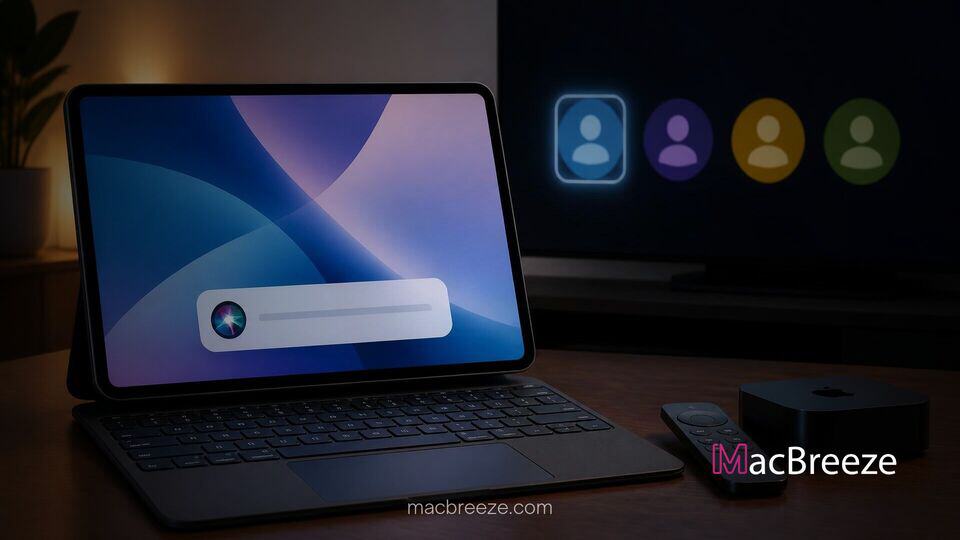
Apple has seeded the developer preview of iPadOS 27.2, introducing refined navigation features aimed at productivity enthusiasts and household tablet users alike. The update brings dynamic contextual text editing tools directly to trackpad users while expanding personal media management through multi-user profiles in the TV app.
Build configurations for the software release reveal a strong focus on bridging desktop-class ergonomics with tablet versatility. Developers testing the early release can explore streamlined interaction patterns across connected hardware setups and shared entertainment libraries.
iPadOS 27.2 Beta Adds Trackpad Siri Text Popup and Apple TV Profiles for Multi-User Households
The headline additions in the iPadOS 27.2 beta reflect Apple's ongoing commitment to improving input workflows and shared device scenarios on iPad. Primary enhancements focus on an updated contextual popup triggered when highlighting text using a connected Magic Keyboard or external trackpad. Simultaneously, the native Apple TV application now mirrors its tvOS counterpart by supporting discrete user profiles, allowing multiple family members to maintain separate viewing histories, watchlists, and personal recommendations on a single iPad display.
iPadOS 27.2 Beta Brings New Contextual Siri Popup for Trackpad Users
For users who rely on hardware keyboards and pointer devices, iPadOS 27.2 delivers a subtle yet powerful interaction refinement. Highlighting any section of editable text using a trackpad cursor now displays an inline floating popup powered by Siri and Apple Intelligence. This popover interface provides immediate access to system-wide writing tools, smart summaries, tone adjustments, and direct text transformations without requiring users to right-click or search through traditional top-level menu bars.
By bringing intelligence features directly to the physical pointer location, Apple minimizes cognitive friction for intensive writing tasks. The approach builds on recent software initiatives across the ecosystem, similar to how macOS 27 leverages natural language prompts in Safari to automate complex browser workflows.
How the Ask Siri Text Editing Tool Works
The updated trackpad behavior integrates with system text engines across first-party and third-party apps. When text is highlighted via primary click-and-drag gesture on a trackpad, a small, unobtrusive capsule menu appears near the cursor position. Hovering over or clicking the Ask Siri icon expands a contextual prompt window containing suggested actions such as Proofread, Summarize, Rewrite, or Convert to Table.
Users can also type custom instructions directly into the popup prompt field. For example, selecting a rough outline and typing "format as bullet points with bold headers" allows Siri to execute the edit instantly. Trackpad users benefit from full keyboard navigation support within the popup, enabling quick action execution via the Return key or dismissal via Escape.
Apple TV App Gains Multi-User Profiles on iPad
Beyond cursor improvements, iPadOS 27.2 addresses a long-standing request from families and shared households by introducing dedicated user profile switching in the Apple TV app. Previously, media queues, active channels, and video progress on iPad were tied directly to the primary Apple ID signed into system settings. With this update, users can switch profiles seamlessly within the app header, mirroring the experience on Apple TV set-top boxes.
This structural change matches broader platform efforts to elevate shared household features and multi-user hardware capabilities across Apple's lineup, including upcoming initiatives like the iMac G4-inspired smart home hub designed for living room environments.
Parental Controls and Separate Viewing Queues
The profile switcher inside the Apple TV app allows each family member to maintain an independent Up Next queue, tailored movie recommendations, and individual episode progress. Profile switching takes place instantaneously without requiring a full system log-out or iCloud re-authentication.
For parents, the multi-profile architecture includes granular content filtering and pin protection. Primary account holders can assign specific content age ratings to child profiles, preventing younger users from opening mature programs stored in the shared library. These updates align with recent digital safety efforts across Apple operating systems, detailed in Apple's educational materials on macOS child safety and parental controls.
Release Timeline and Beta Availability for iPad Users
The iPadOS 27.2 update is currently available to registered developers enrolled in the Apple Developer Program. Public beta testers can expect access to the preview builds in the coming weeks following initial stability testing. The software release supports all iPad models equipped with M-series Apple Silicon chips as well as recent A-series hardware platforms, including hardware configurations verified in code for entry-level iPad models featuring A-series processors.
Apple is anticipated to roll out the final public version of iPadOS 27.2 alongside corresponding updates for iOS, macOS, and tvOS in the upcoming release cycle. Developers and beta participants are encouraged to submit feedback regarding trackpad popup behavior and profile switching through the native Feedback Assistant app prior to general availability.
Overall, iPadOS 27.2 continues Apple's trajectory of transforming the iPad into both a more capable workstation for individual creators and an adaptable, shared personal screen for home media consumption.