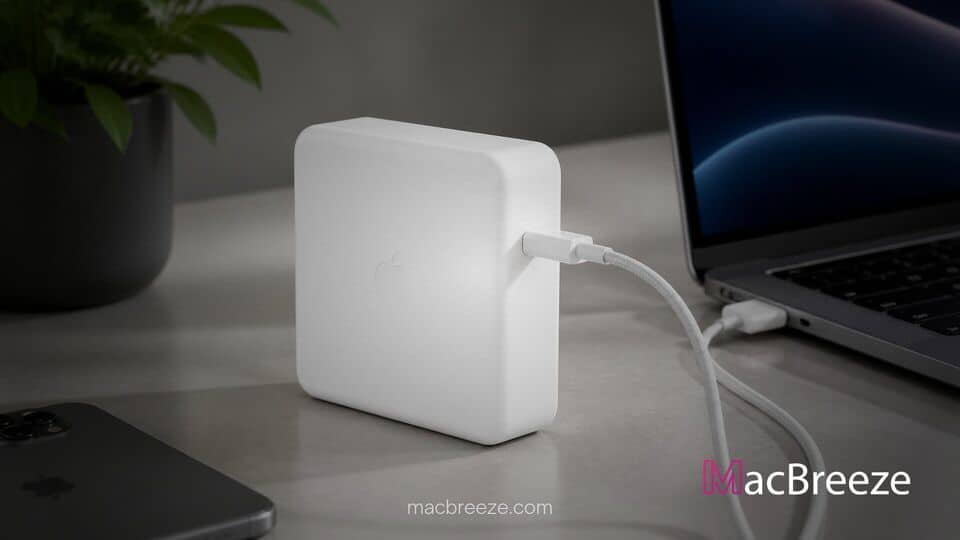
Apple has officially released a new firmware update for its high-wattage 140W USB-C Power Adapter, bringing the internal software to version 1.4.90. The updated firmware installs automatically in the background whenever the adapter is connected to a compatible Mac laptop and plugged into wall power.
apple 140w usb c power adapter firmware update delivers automated performance enhancements
The apple 140w usb c power adapter firmware update updates the internal control software on model A2452. While Apple has not released formal release notes detailing specific bug fixes, updates of this nature typically refine power delivery protocol negotiation, thermal efficiency, and charging safety parameters across connected devices.
Overview of Power Adapter Firmware Version 1.4.90
Modern charging bricks are sophisticated computing devices containing microcontrollers that handle USB Power Delivery (USB-PD) communication, voltage regulation, and thermal protection. The release of version 1.4.90 follows the previous version 1.4.84 release, marking another iteration in Apple's ongoing maintenance of its high-wattage power accessories.
Because the power adapter communicates directly with macOS system management controllers, firmware updates allow Apple to adjust how power negotiates between the wall outlet and hardware. As hardware configurations evolve across the Mac lineup, firmware revisions help ensure optimal power curves and maintain battery health over long term usage.
Supported Mac Laptops and Charging Accessories
The 140W USB-C Power Adapter was first introduced alongside the redesigned 16-inch MacBook Pro featuring Apple Silicon. It remains the primary power solution required to achieve fast-charging capabilities on 16-inch laptops, restoring up to 50 percent battery capacity in roughly 30 minutes when paired with a compatible USB-C to MagSafe 3 Cable or high-specification USB-C charge cable.
While designed specifically for top tier laptops, the charger uses universal USB-PD 3.1 standards. Users can safely charge lower wattage devices including iPads and iPhones, though the adapter automatically negotiates down to the maximum supported power drawer of the attached device.
Key Performance Improvements and Stability Fixes
Although Apple rarely publishes explicit changelogs for accessory firmware, technical updates for power supplies typically address edge-case behavior encountered during daily operation. Adjustments often focus on power handshake speeds, sleep state power transitions, and intermittent connection resets.
Maintaining stable power delivery is critical when running resource-heavy creative workflows on workstation laptops. Ensuring consistent voltage output prevents unexpected power throttling when the system draws peak energy from both the wall and internal battery simultaneously.
Resolving MagSafe Disconnection and Power Chime Issues
Historically, minor firmware bugs in power adapters have caused unexpected behaviors, such as repeated power connection chimes when a connected MacBook enters sleep mode. Similar power supply updates have addressed transient disconnects, ensuring that laptops remain quietly charging without cycling power states overnight.
Users who previously experienced minor charging glitches or delayed fast-charging handshakes can expect smoother power delivery following the silent installation of version 1.4.90. If users encounter persistent hardware alerts or non-responsive charging ports, learning how to run Apple Diagnostics to test your MacBook for hardware issues can help identify potential physical defects in power delivery hardware.
How Apple Deploys Adapter Firmware Updates
Unlike macOS system updates, Apple provides no manual interface, toggle switch, or progress bar for updating power adapter firmware. The deployment process is completely automated and managed by the operating system.
When a supported adapter is connected, macOS checks the accessory's current build version against an internal system database. If a newer build is available, the operating system quietly pushes the firmware file across the charging cable to the adapter's onboard chip during idle periods.
Automatic Update Process for Connected Macs
To ensure your 140W adapter receives version 1.4.90, leave your MacBook plugged into the power adapter while connected to Wi-Fi. The update process typically completes in the background while the Mac is powered on or sleeping during routine use.
Mac users can verify their adapter's current firmware build directly through macOS System Information:
- Click the Apple menu in the top left corner of the screen and select System Settings.
- Navigate to General and click on About.
- Scroll down to the bottom and select System Report.
- In the left sidebar under the Hardware section, click on Power.
- Look for the connected AC Charger details to view the current firmware version string.
Troubleshooting Charging Issues on MacBook Pro
If your power adapter does not immediately reflect version 1.4.90, no action is required. Firmware updates are rolled out gradually across the global user base over several days or weeks. Simply using your Mac laptop as normal while connected to wall power will allow the system to apply the patch automatically.
If you encounter persistent charging failures where your laptop refuses to draw power, verify that both ends of your MagSafe 3 or USB-C cable are securely seated. Apple recommends testing alternative wall sockets and checking for debris inside the charging ports before seeking hardware service. Keep your operating system updated regularly, as system-level fixes often land alongside secondary software updates like iOS software bug updates to maintain broad device ecosystem compatibility.
The release of firmware version 1.4.90 underscores Apple's proactive approach to maintaining core hardware components long after their initial launch. By quietly refining power management software in the background, Apple ensures that high-wattage charging accessories remain reliable, efficient, and fully compatible with current and future Mac hardware.