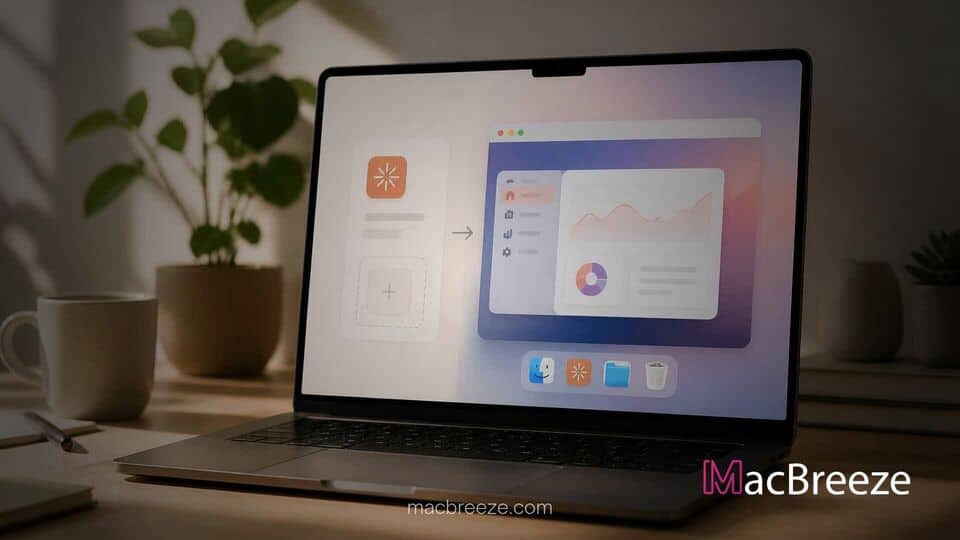
Anthropic has officially launched a new beta capability in its desktop client called Install as App, enabling users to convert interactive Artifacts generated within chat sessions into standalone applications on macOS and Windows. The feature allows custom software created by the AI assistant to run in dedicated windows with unique app icons, eliminating the need for manual code packaging, API keys, or traditional software developer signing.
By transforming dynamic web components and code snippets into persistent desktop software, Anthropic is narrowing the gap between rapid generative AI prototyping and everyday desktop utility. The feature is rolling out across all Claude tier levels, including Free, Pro, Max, Ultra, Team, and Enterprise accounts running desktop version 6.28899.0 or higher.
Anthropic Introduces Desktop App Creation via Anthropic Claude Install as App macOS
The addition of the Anthropic Claude Install as App macOS feature fundamentally alters how users interact with generated Artifacts. Previously, interactive widgets such as custom dashboards, timers, data converters, and internal workflow monitors remained bound to the main Claude desktop interface or web browser tabs. Under the new system, users can click the Share menu on any supported Artifact and select Install as app to deploy the tool directly onto their operating system.
Once installed, the resulting application functions like traditional desktop software. It can be launched directly from the Mac Launchpad, placed in the macOS Dock, or configured to run discreetly in the system menu bar. The underlying software continuously synchronizes with its source prompt; when a creator edits the underlying code or prompt in Claude, the installed desktop application automatically updates its local runtime environment.
How Install as App Converts Artifacts Into Standalone Mac Software
Behind the scenes, the feature leverages the existing Claude Desktop runtime framework to execute the compiled code safely within macOS. Users do not need to configure build scripts, manage dependencies through Homebrew, or manage code-signing certificates with Apple Developer accounts. The desktop app relies on the user's active login session, authenticated through the primary Claude Desktop client.
Installed applications maintain access to Claude's underlying model capabilities and connected data sources, allowing them to send real-time queries back to the AI infrastructure. However, every request generated by an installed application counts directly against the user's plan usage limits. As a result, continuously polling software tools or complex automated utilities will consume operational quotas in the same manner as manual chat interactions.
Developers and enterprise teams interested in auditing local performance impact when running background processes alongside AI models can review how Mac Health MCP allows Claude to diagnose live macOS performance issues in real time.
System Permissions and Access Controls for Generated Apps
To address security concerns inherent in running LLM-generated software on local machines, Anthropic implemented a tiered authorization model. Because AI-generated artifacts are created dynamically without manual human code auditing by Anthropic prior to deployment, explicit user consent is required before an installed tool can interact with system resources.
The permission framework is divided into three distinct operational tiers:
- Default Sandbox Level: Restricts the installed application to standard web browser capabilities, blocking direct local file access or system modification.
- Extended App Permissions Level: Authorizes specific OS-level features, including sending system notifications, running floating always-on-top windows, capturing global keyboard shortcuts, and registering icons in the macOS menu bar.
- Full Computer Access Level: Grants comprehensive capabilities, permitting the application to execute terminal programs and read, create, modify, or delete local filesystem data without asking for repeated approvals.
Anthropic noted that full access permissions are strictly restricted to software built directly by the individual user or within their verified organization on Team or Enterprise accounts. If an artifact incorporates code snippets from third-party websites or untrusted external sources, Claude blocks the application from escalating to full computer access.
Managing App Rights and Security Settings on macOS
Security preferences are managed on a granular per-app basis. Permission grants cover only the active build of the installed application. Whenever an artifact is updated, modified, or re-prompted, Claude resets system trust toggles and prompts the user to re-authorize the requested privilege levels.
Mac users can modify or revoke granted rights at any time while the application is running by opening the app's menu bar tab and selecting the Permissions option. Alternatively, users can manage all active tools through the central Claude Desktop window by navigating to File and selecting Apps.
This granular approach aligns with broader platform trends in Apple's ecosystem, where recent operational updates have increasingly isolated automated processes. This is similar to how Apple tightens macOS permissions to limit data access for AI agents across system-level tasks.
Availability and Deployment Across Mac User Plans
The beta rollout of Install as App covers individual Free, Pro, Max, and Ultra tiers, alongside multi-user workspace accounts. System administrators for commercial workspaces maintain centralized administrative oversight regarding how generated tools are deployed across managed Mac fleets.
For Team subscription plans, the Install as App feature is activated by default, though the top-tier full computer access permission remains disabled until workspace administrators explicitly allow it. On Enterprise deployments, the entire application installation mechanism is turned off by default and requires an organization owner to manually enable it within global account settings. Organizations running specialized HIPAA-compliant configurations or hybrid data center deployments are currently excluded from the rollout.
The feature also imposes structural operational rules. Installed applications require an active internet connection and an authenticated Claude Desktop session to launch. Additionally, static document artifacts such as generated Claude Docs, Slides, and Sheets cannot be converted into standalone desktop applications.
As desktop environments accommodate an increasing variety of AI-generated tools and custom software utilities, enterprise IT departments are paying closer attention to local software inventories. Organizations seeking to track unmanaged tools across employee workstations can examine how Workbrew 2.0 releases to audit shadow software across enterprise Mac fleets. Meanwhile, users looking to explore alternative desktop integrations can read how Grok Bot for Mac adds deep Apple app integrations across native utilities. Developers seeking deeper IDE build integration may also be interested in how Apple releases official Xcode plugin for Claude Code developer integration.
The launch of Install as App represents a key milestone in user-driven software development. By turning conversational AI outputs into localized desktop apps, Anthropic enables non-technical users to build custom macOS utilities tailored to their specific daily workflows.