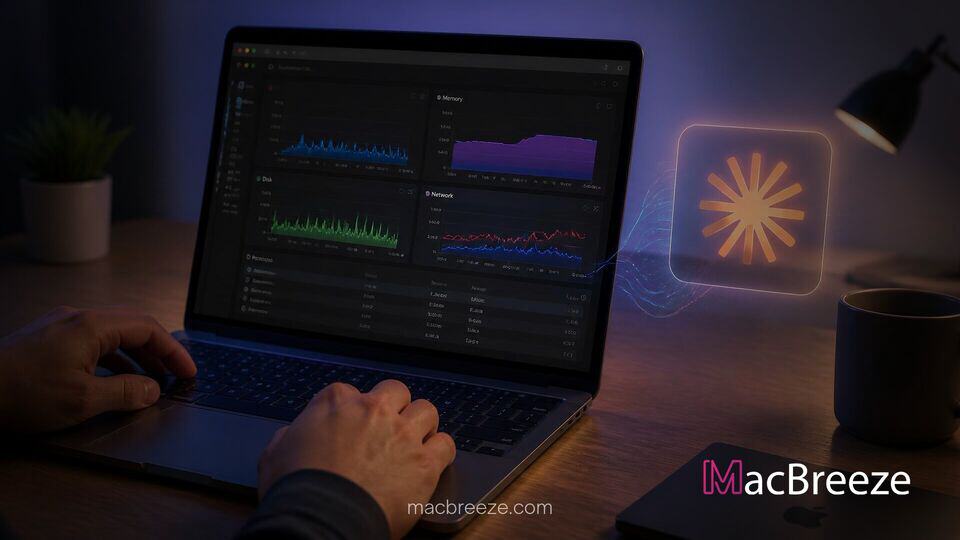
A new open source integration leveraging Anthropic's Model Context Protocol now allows the Claude AI assistant to query real-time system metrics directly on Apple hardware. By executing lightweight local diagnostic utilities, the setup allows users to diagnose live macOS performance issues through simple conversational prompts.
The system, known as Mac Health MCP, bridges the gap between raw command-line diagnostic tools and natural language troubleshooting. Rather than forcing users to sift through complex activity logs, Claude can instantly analyze hardware metrics and rank potential performance bottlenecks.
Mac Health MCP Brings AI Diagnostics to macos Performance Monitoring
The newly introduced tool operates as a dedicated Model Context Protocol server that exposes native macOS diagnostic command outputs directly to Claude Desktop and terminal-based clients. By leveraging existing system utilities built into macOS, the integration allows the AI assistant to read live statistics regarding processor usage, memory pressure, thermal throttling, and background tasks without requiring heavy third-party agent installations.
As developer tools become increasingly integrated into AI workflows, managing local hardware overhead has emerged as a key operational challenge. When complex local developer sessions run, runaway processes or unclosed background containers can consume considerable resources. The integration provides immediate visibility into those conditions by allowing the AI model to query system health directly when a user notices local system degradation.
The tool builds on recent momentum surrounding native artificial intelligence development on Apple hardware. Recent platform advancements, such as macOS terminal utilities for local foundation models and dedicated development plugins like Apple's Xcode plugin for Claude Code, reflect growing demand for tightly integrated developer workflows on Mac devices.
How Model Context Protocol Exposes Real-Time System Metrics
The Model Context Protocol acts as an open protocol designed to standardize how language models securely communicate with local data sources and client applications. Under the Mac Health MCP architecture, the server runs locally on the host machine and communicates over standard input/output (stdio) channels.
When a user asks Claude a performance query such as "Why is my Mac running slow?" or "What process is heating up my computer?", the client issues structured tool calls to the local MCP server. The server executes read-only diagnostic commands, formats the results into structured data, and returns the information to the language model for immediate analysis.
Because the AI receives actionable numbers alongside system process context, it can evaluate complex scenarios that traditional diagnostic tools report as isolated data points. For instance, rather than displaying hundreds of individual helper tasks, the model can group child processes, calculate cumulative memory usage, and report the specific application responsible for system drag.
Key Diagnostic Capabilities for CPU, Memory, and Disk Monitoring
The tool includes several specialized diagnostic functions designed to evaluate core system components. Among the primary health parameters inspected by the server are:
- System Uptime and Memory Pressure: Tracks total system uptime, active swap file usage, and RAM pressure levels to determine if a restart or RAM reallocation is necessary.
- CPU and Process Tracking: Identifies individual processes hogging processor cores, including unstopped background tasks from prior coding sessions.
- Thermal and Hardware Throttling: Reads thermal state data to inform users if CPU speed is actively being restricted due to high internal temperatures.
- Disk and Startup Analysis: Checks available storage capacity across local drives and monitors login items or active Spotlight re-indexing operations that temporarily reduce system responsiveness.
System performance issues often arise following major updates or heavy multitasking sessions. Following major system updates like macOS stability and security updates, users frequently encounter background indexing tasks. Having real-time diagnostic tools helps users isolate temporary background tasks from genuine app instability.
Troubleshooting Thermal Throttling and Resource-Heavy Processes
Thermal management is particularly critical for lightweight notebook designs like the MacBook Air and MacBook Pro, where sustained heavy workloads can trigger fan noise or performance throttling. When developer agents or containerized environments fail to terminate properly upon task completion, orphaned microservices can remain active in the background.
Using Mac Health MCP, Claude can walk through process trees to identify orphan processes left behind by development sessions. Once identified, the AI provides plain-English summaries explaining which applications generated the high load and recommends specific corrective actions.
This capability provides a significant advantage for users working on local machine learning projects or resource-intensive tasks. With rising hardware demand across Apple Silicon lineups detailed in recent Mac hardware financial reports, maintaining efficient resource management remains a top priority for power users and software developers alike.
Setup Requirements and Security Considerations for Mac Users
The Mac Health MCP server is designed with a strict privacy-first security architecture. The server operates entirely offline with zero external network connectivity, requiring no remote API keys or cloud data transmission. Furthermore, sensitive hardware identifier data, including system serial numbers, hostnames, usernames, and local user directory paths, are automatically sanitized and filtered out before diagnostic outputs are sent to the AI client.
Installation requires macOS and an MCP-compatible client, such as Claude Desktop or terminal-based developer environments. Users can add the server by downloading the pre-packaged extension bundle or adding the tool configuration to their local client configuration file. Because the default tools operate in a read-only state, the server cannot modify system settings or force-terminate applications without explicit user confirmation.
As developer adoption of AI tools continues to grow alongside tools like local AI assistants for macOS, Model Context Protocol servers offer a promising model for giving language models safe, controlled access to local operating system insights.
Closing Summary
The introduction of Mac Health MCP represents a practical application of the Model Context Protocol, converting raw macOS system data into conversational, actionable diagnostic reports. By giving Claude real-time visibility into CPU metrics, memory pressure, and background tasks, the tool enables Mac users to identify and resolve hidden hardware bottlenecks efficiently.