Grok Bot has officially reached version 1.0, shedding its beta tag and expanding its presence across desktop platforms. The major release brings direct integration with essential Apple built-in applications on macOS, allowing the AI agent to interact with a user's local communications and productivity suite.
By connecting directly to system software, Grok Bot can now perform multi-step workflows that bridge different desktop utilities. The update builds upon previous mobile releases by focusing heavily on deep desktop automation within the Apple environment.
Grok Bot Mac Apple Apps Integration Delivers Deep System Capabilities
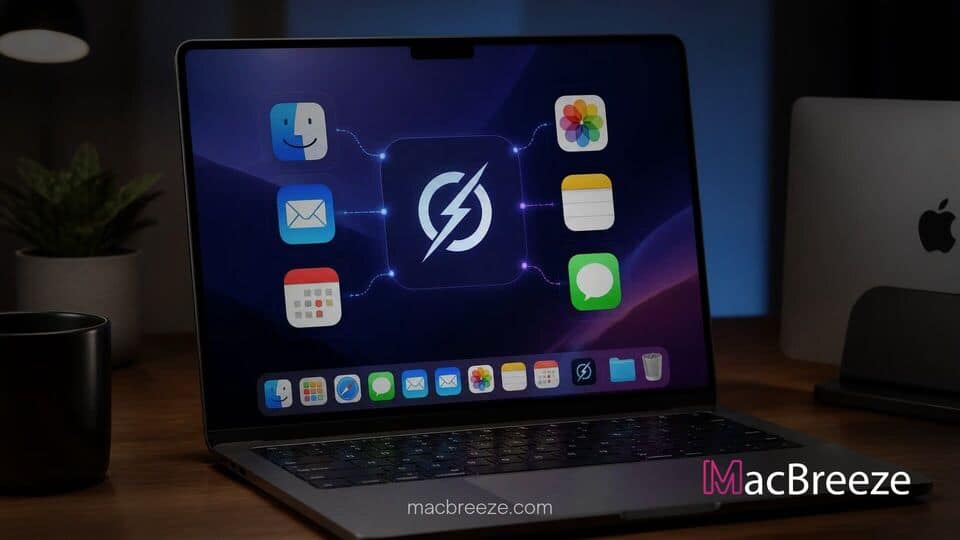
With the release of Grok Bot 1.0, users running the assistant on macOS can connect it directly to seven core system applications and data sources: Messages, Mail, Notes, Reminders, Calendar, Contacts, and Location. The integration allows the AI assistant to read and write across these applications rather than relying strictly on text pasted manually into a standard chat window.
For instance, the assistant can draft email responses in Apple Mail, create new entries in Notes, set up task deadlines in Reminders, or search address records in Contacts based on plain-language prompts. Furthermore, Grok Bot's Messages integration supports reading incoming conversations and drafting or sending messages directly through the Mac. Location access provides localized context, allowing the bot to surface places, venues, or meeting spots appropriate to where the user is operating.
Grok Bot 1.0 Brings Direct Integration With Native macOS Apps
The addition of native system integration places Grok Bot among a growing list of desktop AI assistants striving to interact directly with local user data. Rather than treating productivity tools as isolated silos, the software connects context from different services into a single continuous workflow.
For example, if a user receives an event invitation or a project outline inside Mail, Grok Bot can read the context, check open slots in Calendar, draft a confirmation note in Notes, and set up follow-up notifications in Reminders without requiring separate manual input across each app. This cross-application capability mirrors wider industry efforts to transform conversational chatbots into proactive digital coworkers.
Developers across the ecosystem have been increasing their focus on native OS connectivity. For instance, recent developments in software tooling have seen solutions like the official Xcode plugin for Claude Code focus on direct developer environment control, showing a broader trend toward AI assistants operating natively inside core desktop applications.
Supported System Apps and System Access Capabilities
The system connections included in Grok Bot 1.0 provide specific permissions tailored to each supported Apple application. The full list of integrations and their primary functions includes:
- Messages: Read incoming conversation threads and draft or send outgoing messages.
- Mail: Search existing email threads and generate new email drafts.
- Notes: Read existing entries and write new text notes or project outlines.
- Reminders: Check existing tasks, mark items complete, and create new reminders.
- Calendar: Access schedule information to check availability and track appointments.
- Contacts: Retrieve existing contact information and add new address book cards.
- Location: Determine device geography to refine local search queries and venue recommendations.
Enhanced Workflow Automations for Mac Ecosystem Users
Beyond personal productivity, the 1.0 release introduces expanded team collaboration capabilities. The app includes support for Team Bots, allowing groups to share specialized AI agents that can be brought into team workspaces like Slack or Microsoft Teams. These shared agents can participate in group threads, learn workspace preferences over time, and execute assigned projects alongside human team members.
Desktop users can also teach Grok Bot customized routines by demonstrating a multi-step task once. The bot records the procedure and can run the workflow autonomously on a scheduled basis or on demand, making it suitable for administrative chores like pulling expense records or drafting recurring status updates.
This push toward continuous desktop automation arrives alongside broader hardware and system shifts across the Mac lineup. As users explore advanced setups ranging from specialized hardware accessories to high-end configurations like the top-spec touchscreen MacBook Pro, software developers are optimizing their tools to leverage persistent local compute and intuitive multi-app interaction.
Security Controls and Privacy Protections for Local Data Access
Because granting an AI agent access to personal emails, messaging history, and contact lists introduces privacy considerations, Grok Bot 1.0 relies on a granular authorization model. The desktop setup presents separate permission toggles for each Apple app, giving users explicit control over which applications the bot is allowed to access.
Users can grant access strictly to non-sensitive tools such as Notes and Reminders while keeping Messages or Mail completely disconnected. Additionally, the platform incorporates safety checks that require manual human confirmation before executing high-stakes actions, such as finalizing email sends or deleting records.
System security and user control remain central topics across desktop and mobile platforms. Apple has consistently refined granular access controls, as seen in updates like iOS privacy controls for Siri app exclusions, highlighting an industry-wide focus on providing users clear opt-in boundaries when AI interacts with personal files.
Availability and How to Update Grok Bot on macOS
Grok Bot 1.0 is available for download on macOS supporting both Apple Silicon and Intel-based architectures. Access to the desktop agent is included with eligible subscription tiers, including X Subscription Premium plans at $30 per month and above, as well as Cursor subscriber tiers. Team and enterprise capabilities require corresponding multi-seat subscription plans.
Existing desktop installation builds will check for updates automatically upon launch. Users setting up the software for the first time can download the application package directly, complete authentication in their web browser, and configure individual app permissions via the onboard app connection settings.
With version 1.0 officially shipping, Grok Bot transitions from a standalone conversational tool into a more deeply integrated desktop assistant for macOS users. The combination of native Apple app support, customizable routines, and granular privacy controls offers Mac users a structured environment to automate daily administrative tasks.