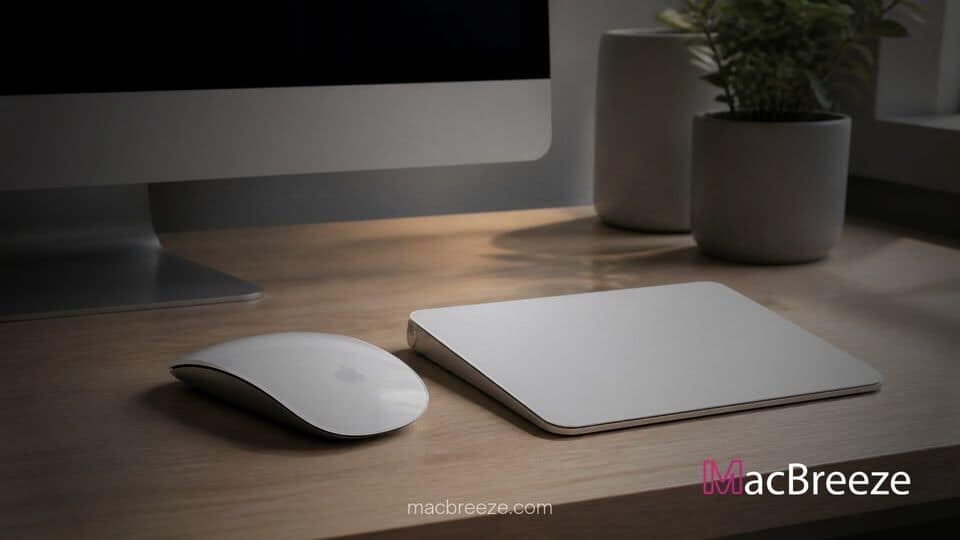
Apple has quietly updated the official store product pages and technical specifications for the Magic Mouse and Magic Trackpad, eliminating all Intel-based Mac models from the compatible hardware listings. The documentation shift specifically affects the newer USB-C equipped revisions of the input devices, leaving only Apple silicon Macs, iPads, and supported displays explicitly named.
Despite the changes across Apple's online storefront and support pages, the hardware accessories remain fully functional on Intel Macs that meet operating system requirements. Users on legacy Intel hardware can still pair, charge, and operate the peripherals over standard Bluetooth or wired connections without encountering firmware-level blocks.
Apple Updates Magic Mouse and Trackpad Tech Specs
The revised documentation highlights a shift in how Apple presents hardware compatibility for its core desktop accessories. Under the magic mouse trackpad intel mac compatibility listings, the company now exclusively details Apple silicon machines, beginning with early M1 models and extending through recent desktop and laptop releases.
Curiously, the system requirements section on the exact same specification pages continues to state that the accessories require a Mac running macOS 15.1 or later. Because several late-generation Intel machines, including specific 2019 and 2020 MacBook Pro, iMac, and Mac Pro models, remain officially supported on macOS 15 Sequoia, an operational discrepancy exists between listed device models and operating system requirements.
Removal of Intel Mac Compatibility Listings
The documentation edits were first implemented on store product pages before Apple updated its technical specifications database to match. Older versions of the technical specs previously listed explicit compatibility with legacy Intel MacBooks and iMacs, providing buyers clear guidance when purchasing replacement peripherals.
Apple has not issued a formal statement explaining the change or addressing whether the edit reflects a formal end of official testing support. However, technical tests confirm that existing Multi-Touch gestures, Force Touch tracking, and automatic pairing mechanisms continue to operate as expected when connected to Intel computers running compatible software releases.
Current Functionality and Operational Status
Because the Magic Mouse and Magic Trackpad rely on standard Bluetooth human interface device protocols, basic connectivity does not require custom silicon hardware on the host computer. Plugging in the included woven USB-C cable facilitates immediate Bluetooth pairing and charging on older Mac platforms just as it does on modern Apple silicon setups.
For users managing older setups, hardware maintenance and firmware updates often occur in the background across peripheral devices. For instance, Apple routinely issues silent patches across its peripheral lineup, such as when Apple releases MagSafe 3 cable firmware updates for MacBook charging to improve power delivery efficiency. Similar background driver support maintains operational stability across older macOS installations.
Impact on Legacy Intel Mac Users
For current Intel Mac owners, the documentation rewrite represents a minor administrative change rather than an immediate loss of accessory functionality. Daily usage, gesture tracking, and navigation remain unaffected on systems already deployed in personal or enterprise environments.
The move aligns with Apple's broader multi-year transition toward an all-Apple silicon ecosystem. As operating systems mature, Apple has gradually scaled back engineering focus on legacy architectures. Related open-source initiatives, including projects where developers add Nvidia Metal 3 driver support for Intel Macs, demonstrate how community efforts frequently step in to sustain legacy hardware capabilities as official manufacturer documentation phases out.
Hardware and Software Support Context
The documentation cleanup arrives alongside changes to operating system lifecycle management and security governance. Apple has progressively restricted security policies and administrative controls on desktop environments, seen in measures where Apple tightens macOS Full Disk Access controls over AI privacy risks to secure personal data across older and newer Mac installations alike.
In enterprise settings, administrators actively monitor these documentation adjustments to evaluate long-term deployment strategies. Software security timelines also influence corporate hardware retention. For example, Apple alerts Mac developers to re-sign installers ahead of certificate expirations, reinforcing the reality that software infrastructure around older architectures is steadily transitioning toward modern standards.
What Intel Mac Owners Need to Know
If you own an Intel-based Mac and are considering purchasing a new Magic Mouse or Magic Trackpad, you should focus on your installed operating system version rather than the retail hardware compatibility list. As long as your Mac runs macOS 15.1 or later, the accessory will connect and operate normally.
While official marketing pages now emphasize Apple silicon systems, no technical lockout or firmware barrier prevents legacy hardware from using standard Bluetooth input devices. Users can continue buying and using these accessories on supported Intel machines without experiencing operational interruptions.