Cybersecurity researchers have detailed a sophisticated, updated variant of the MacSync malware family targeting macOS users. The threat actors behind the attack have overhauled their infection mechanism to abuse public iCloud calendar entries, leveraging Apple's trusted cloud infrastructure to distribute secondary malicious payloads without triggering standard detection alarms.
First spotted in the wild in September 2026, the updated strain moves away from legacy script-based droppers toward native compiled binaries. This transition makes the infostealer substantially harder to detect while allowing it to establish deep persistence across infected Mac systems.
MacSync Malware Uses iCloud Calendar Invites to Target macOS Users
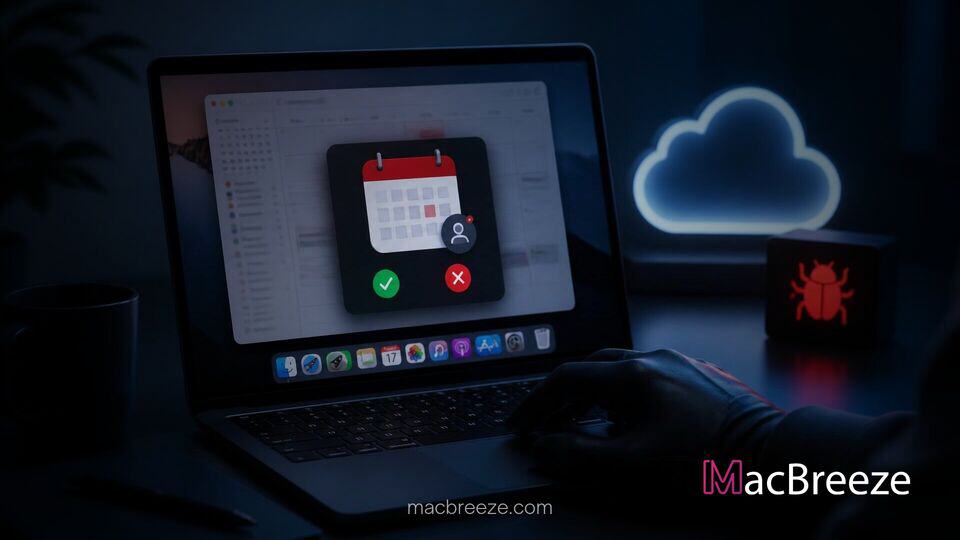
The revised campaign highlights a growing trend among malware developers who abuse legitimate cloud platforms to mask command-and-control operations. In this campaign, attackers store encoded shell commands inside the description field of a public iCloud calendar event in .ics format. When a initial loader executes on a targeted Mac, it retrieves the event description, decodes the hidden commands, and pipes them straight into the system's zsh command interpreter to fetch the next payload.
By fetching instruction sets directly from an official Apple domain, the malware effectively bypasses traditional network monitoring tools that treat standard iCloud traffic as safe. Combined with recent developments like Apple patching three macOS generations simultaneously to address underlying security flaws, this tactic demonstrates that threat actors are continuously shifting toward living-off-the-land techniques to evade platform defenses.
According to research published by Kaspersky analysts, the distribution strategy heavily relies on social engineering campaigns. Victims are lured into downloading malicious disk images (DMG files) disguised as cracked software, productivity tools, or nonexistent cryptocurrency apps like Toria. In past variations, MacSync operators relied on ClickFix tactics, tricking users into executing rogue Terminal scripts disguised as software updates.
MacSync Infostealer Evolves With Binary Droppers and iCloud Exploits
The latest iteration of MacSync represents a technical overhaul compared to earlier versions seen in 2024 and 2025. While original variants relied heavily on AppleScript wrappers modeled after the well-known AMOS stealer, the September 2026 build introduces native Objective-C and Swift executables.
"The new version of the MacSync infostealer differs quite significantly from its previously observed variants," explained Sergey Puzan, Malware Analyst at Kaspersky. "The attackers have substantially overhauled their approach to executing the stealer's and backdoor's main malicious payload, moving from AppleScripts to full-fledged executable files written in Swift and Objective-C. It's also worth noting the more complex infection chain: instead of obfuscated shell scripts delivered through ClickFix attacks, this version used binary droppers and loaders, some of which leveraged Apple's infrastructure as one of the intermediate stages for delivering the malicious payload."
How Attackers Leverage Public Calendar Invites
The abuse of calendar invites functions as a dynamic command staged on Apple servers. The infection process begins when a user launches the initial application inside a downloaded DMG. The app automatically removes its quarantine attribute to evade Gatekeeper, decrypts a downloader link, and fetches the calendar event payload. Because the event description can be updated remotely at any time by the attacker, the malware can dynamically change its secondary download URL without needing to alter its primary binary code.
Capabilities and Threats to macOS User Credentials
Once deployed, the core MacSync stealer launches a fake prompt asking the user for their administrator password. To cover its tracks, the app displays a deceptive error message claiming that the software "is damaged" and should be moved to the Bin, deflecting suspicion while the background process executes.
Compromising Crypto Wallets, SSH Keys, and System Keychains
The infostealer actively harvests sensitive user data, targeting:
- Web browser credentials, saved cookies, and browsing history
- Cryptocurrency wallet data and local storage files
- macOS System Keychain databases
- SSH keys, AWS credentials, and Kubernetes configurations
- Telegram desktop application data
Simultaneously, a persistent backdoor module disguises itself as the legitimate macOS Finder process. This backdoor establishes deep system hooks via LaunchAgents, .zshrc shell configurations, and Git hooks. For software developers, the inclusion of rogue Git hooks allows the backdoor to persist across project repositories even if the original application directory is deleted. Furthermore, the backdoor allows remote operators to push malicious browser extensions or replace local Ledger hardware wallet applications with fraudulent clones.
Security Recommendations for Mac Users and System Administrators
The rapid evolution of MacSync demonstrates that Mac users can no longer rely solely on basic Gatekeeper checks. To safeguard personal and enterprise devices, security experts recommend several best practices:
- Avoid downloading software, cracked utilities, or crypto wallets from unverified third-party websites or social media links.
- Never input system administrator credentials into unexpected system pop-ups that appear immediately after launching a new application.
- Inspect local shell profiles like .zshrc and monitor active LaunchAgents for unfamiliar background executables posing as Apple system utilities.
- Ensure system software is kept up to date; while Apple outlines features dropped in macOS releases, maintaining current OS security definitions remains essential to block known loader signatures.
- Consider monitoring network connections to unexpected calendar endpoints or unusual terminal command invocations initiated by non-system apps.
As threat actors refine their ability to hide payloads inside everyday cloud infrastructure, remaining cautious about software sources remains the most effective defense for macOS users.