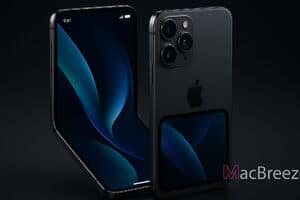
A fresh software discovery within Apple developer tools has offered a look into how iOS 27 adapts to the upcoming foldable hardware. Early code references and simulator builds indicate that Apple is introducing minimalist outer screen controls, designed specifically to help users quickly manage system status settings without opening the device or accessing complex menus.
The latest finding reveals a dedicated quick toggle interface tailored for outer display interaction. By refining how system notifications and environmental modes function on compact screens, Apple aims to make everyday tasks seamless on its first dual-display device.
iPhone Duo Lock Screen Focus Mode Toggle Details
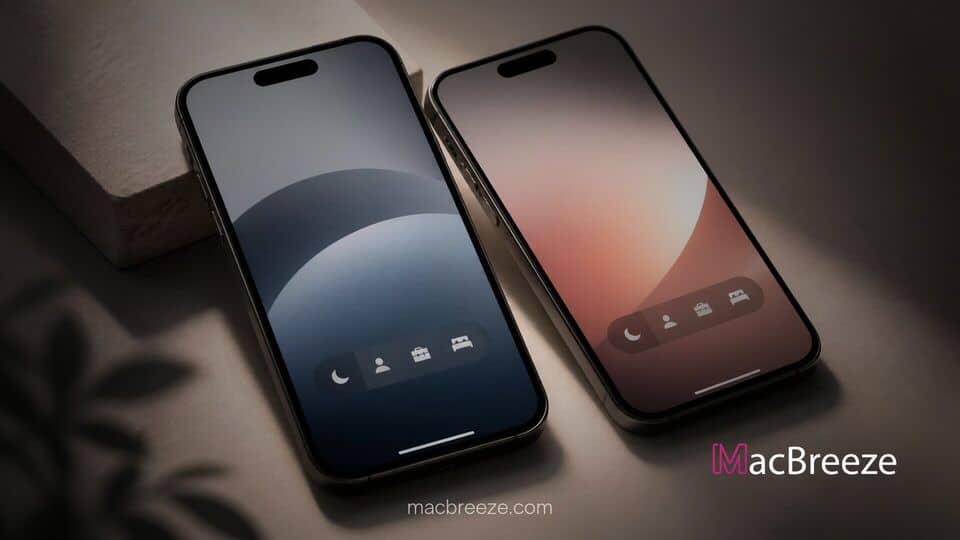
The discovery was highlighted by developer and code explorer pdfu, who uncovered the redesigned system behavior while navigating the official iPhone Duo simulator in iOS 27 builds. According to the leaked interface details, Apple has added a dedicated button positioned just above the standard flashlight and camera shortcuts on the outer Lock Screen.
When an active Focus mode such as Work, Do Not Disturb, or Personal is enabled, this minimalist button appears dynamically. Tapping the button allows users to immediately turn off the active Focus mode directly from the Lock Screen. As long as the user remains on the Lock Screen, the interface allows them to tap the control again to re-enable the same Focus mode if needed. Once the device is unlocked or opened, the current active Focus mode migrates cleanly into the outer display status bar above the clock.
This single-tap interaction removes the need to long-press wallpaper elements or pull down the Control Center, creating an efficient workflow for quick status adjustments on a secondary outer display.
iOS 27 Leak Details Redesigned Focus Controls on iPhone Duo
The addition of dedicated Focus controls highlights how Apple is customizing iOS 27 to support non-traditional screen layouts. On standard slab-style iPhones, changing or disabling an active Focus requires either entering the Control Center or interacting with a multi-step press on the custom Lock Screen. On the foldable hardware, however, quick interactions take priority over deep customization options.
Single-Tap Toggle on the Outer Lock Screen
The primary advantage of this new control mechanism lies in its simplicity. For instance, a user stepping out of a quiet meeting can tap the outer display once to end Do Not Disturb without unfolding the device or authenticating via Face ID. If the user accidentally toggles the setting or changes their mind prior to opening the phone, the toggle remains temporarily accessible to reinstate the original status.
This design fits into a broader sequence of software optimizations for the device. Previous findings from iOS 27 test builds showed that Apple created specialized StandBy Mode faces for the foldable iPhone Duo, showing that outer display real estate is being treated with dedicated visual layouts.
How Foldable Displays Reshape System UI
Adapting an operating system designed for single, rigid screens to a dual-display folding form factor presents unique user interface challenges. Rather than scaling down the existing desktop or Home Screen experience, Apple has systematically reengineered system controls to match short visual interactions on the outer cover panel.
Status Bar and Navigation Realignment
Beyond the Lock Screen, iOS 27 incorporates several structural adjustments specifically tailored to the folding layout. Recent simulator analyses show that the main application dock on the outer display moves to the right edge rather than sitting along the bottom. System software also smoothly defocuses outer screen elements into semi-transparency as the hinge expands.
To support these dynamic display transitions, Apple has opened internal controls to outside creators. Software executives, including Craig Federighi, detailed the iPhone Duo hinge API earlier this year, outlining how raw angle tracking and continuous device pose detection help apps react fluidly as the phone opens and closes.
Hardware durability and accessory support also play a big role in these UI choices. Apple confirmed that the iPhone Duo includes a replaceable inner cover layer to preserve panel longevity over time, while CEO John Ternus explained Apple Pencil support for expanded productivity when unfolded.
Expected Availability and Launch Context
While developer simulator leaks offer strong evidence of incoming features, Apple has not officially demonstrated the new Lock Screen toggle during its initial keynotes. Because these assets remain in active simulator builds, fine visual details and button placements could shift before final public deployment.
Prospective buyers do not have long to wait before seeing these software adaptations in action. Apple recently confirmed that iPhone Duo pre-orders begin with an October 12 get ready date, allowing customers to pre-configure their orders ahead of shipping. Despite earlier supply chain reports indicating that assembly yields hovered near 60 percent during early production phases, launch preparation continues right on schedule.
The introduction of single-tap Focus toggles demonstrates how Apple plans to optimize iOS 27 for foldable hardware. By offering fast outer screen shortcuts for everyday actions, the platform makes dual-screen management simple, intuitive, and efficient.