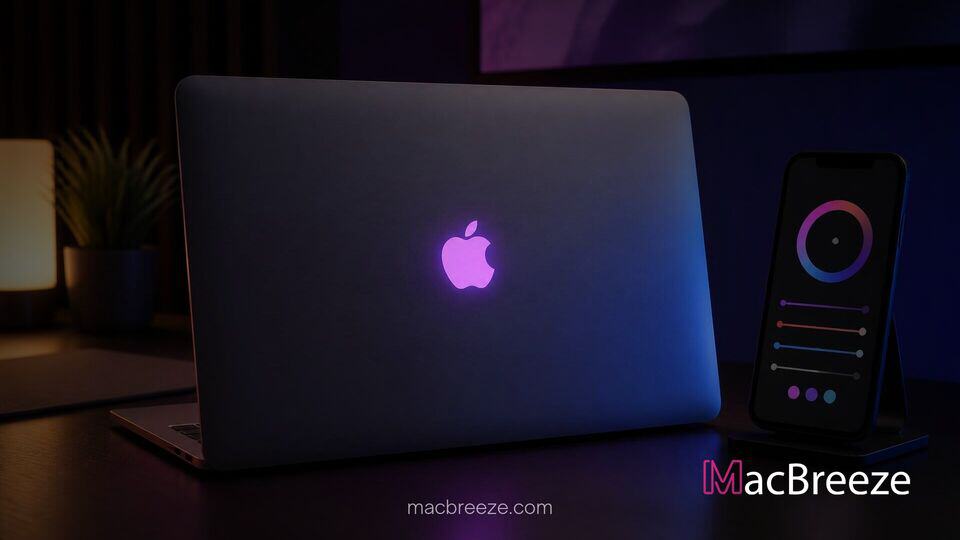
Independent developer and designer Juan Buis has released Backglow, a lightweight macOS menu bar application designed specifically for Apple's newly redesigned 14-inch and 16-inch MacBook Pro lineup . The utility provides granular hardware control over the illuminated lid logo, allowing users to adjust its brightness independently from the main display, toggle the light off entirely, or trigger customized visual effects .
While Apple officially reintroduced the iconic glowing emblem on its latest pro laptops after a decade-long hiatus, macOS offers no built-in system preferences to customize the feature . By default, the system links logo brightness directly to screen intensity and ambient light sensor readings, leaving users with a complex Terminal command as the only native method to turn the light off . Backglow bridges that functional gap by giving Mac owners quick, accessible toggle options directly from their menu bar .
Independent Developer Releases Backglow Utility for macOS
The creation of Backglow highlights how quickly the Mac software community responds when hardware changes outpace built-in operating system features . Buis developed the menu bar app immediately following the arrival of the new laptop hardware to provide a user-friendly interface for what would otherwise require command-line scripts . Available directly through the developer's website as a stand-alone download, the software runs quietly in the background without needing deep system modifications .
Early reviews and user reactions on community forums like Reddit and X have praised the app for its lightweight footprint and clever utility . Tech enthusiasts who prefer minimal visual distraction during night editing sessions or dim environment presentations find the ability to instantly mute the rear lighting particularly valuable .
Addressing Native Limitations in macOS Lid Lighting Controls
Under standard operation, macOS treats the illuminated logo strictly as an passive ambient indicator . When a user lowers display brightness in a dark room, the back logo dims proportionally, but it cannot be managed as a standalone light source through System Settings . Prior to Backglow, disabling the light required invoking administrative privileges inside Terminal, a process that many general users find inconvenient .
Backglow solves this issue by tapping into the hardware controller that manages the dedicated light subsystem . Users can adjust a dedicated slider to set the logo to any luminance level, lock it at full brightness while keeping the main screen dim, or switch it off completely with a single click .
Key Features of the Backglow Menu Bar App and Backglow MacBook Pro Glowing Logo Options
The base version of Backglow offers essential controls for free, providing a simple brightness slider, a one-click power toggle, and a classic "Breathe" mode . The Breathe mode slowly pulses the light source at a steady tempo, reminiscent of the iconic pulsing sleep indicator lights found on legacy unibody MacBooks . The app also features an option to bind the logo's illumination intensity directly to the remaining battery percentage, offering a subtle external indicator of power levels .
Because the app interacts with system hardware controls, updates to macOS will be monitored closely by the developer to ensure continued compatibility across future operating system releases . As software makers continuously tweak operating system APIs, tools like Backglow show how specialized menu bar utilities remain vital to the Mac software ecosystem .
Manual Brightness Adjustment and Audio Pulse Mode
For users seeking advanced visual customization, Backglow Pro adds audio integration that converts the illuminated logo into a physical visualizer . When "Music Mode" is activated, the app analyzes outgoing system audio in real time and pulses the rear illumination to the rhythm and beat of playing tracks .
Additionally, the Pro tier introduces status notifications for developer workflows, such as integration with Claude Code . While an AI coding agent is processing tasks in the background, the logo pulses at a slow, deliberate pace; once the agent finishes or requires user input, the light flashes rapidly to draw attention even if the laptop display is turned away or covered .
Why Apple Restored the Illuminated Lid Logo
Apple originally phased out illuminated logos on MacBook lids starting in 2015, replacing them with polished metallic emblems . On legacy machines, the logo relied on a translucent cutout that allowed the LCD display panel's backlight to shine through . However, modern display advances led Apple to adopt self-emissive display technology, such as tandem OLED panels, which lack a single backlight panel entirely .
To restore the cherished aesthetic feature on its latest high-end laptops, Apple engineered a dedicated, ultra-thin white LED module embedded directly inside the lid architecture . Because this light source is completely separate from the display stack, developers can address it programmatically, paving the way for software utilities like Backglow .
Availability and Pricing for Backglow Pro
The standard version of Backglow is available for free, giving all owners of compatible MacBook Pro hardware direct access to manual brightness sliders and static light controls . Users who wish to unlock advanced audio pulsing, AI status integrations, and lid-closed lighting modes can upgrade to Backglow Pro for a one-time license fee of $9 during its initial launch period, which is set to transition to $15 standard pricing later .
Backglow offers a creative solution for MacBook Pro users who want greater customization over their hardware . By giving users direct control over dedicated lid lighting, the app turns a retro design element into a functional tool for everyday use .