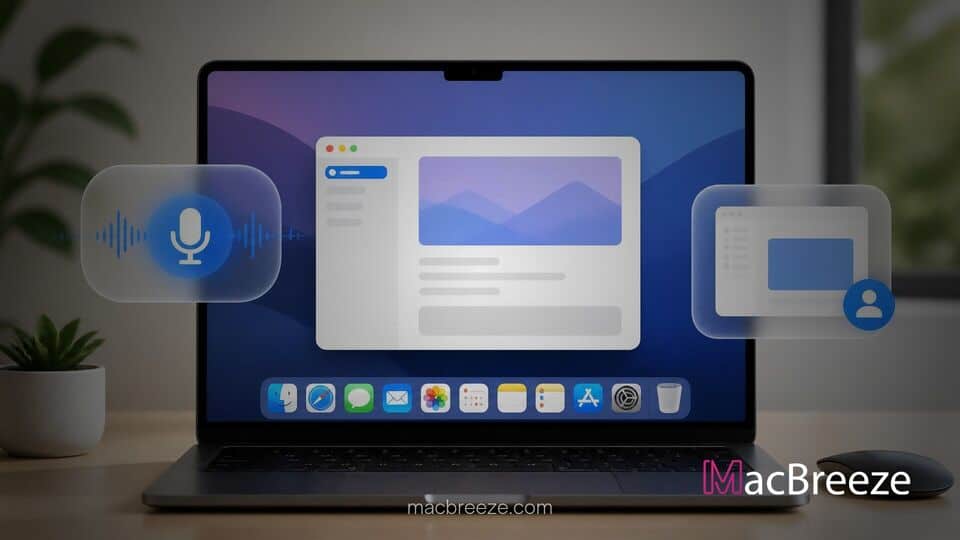
Meta has officially expanded its artificial intelligence ecosystem to desktop operating systems with the release of a native Mac app in beta. The new desktop application brings hands-free system-wide dictation and real-time screen window sharing alongside integrations built for businesses and content creators.
Designed specifically to run on Apple silicon hardware running macOS 15 or later, the lightweight software marks Meta's most direct effort to integrate its assistant directly into daily computer workflows. The release places Meta in direct competition with rival desktop AI tools from OpenAI, Google, and Anthropic.
Meta AI Native Mac App Release Delivers Desktop Integration
The Meta AI native Mac app release introduces an array of features tailored to enhance productivity across macOS applications. The application functions as a native AppKit and SwiftUI build rather than a web wrapper, offering fast performance and seamless integration with Mac system shortcuts.
Meta Launches Dedicated AI Desktop Assistant for macOS
With this launch, Meta brings its central artificial intelligence model directly to the Mac desktop, allowing users to interact with the assistant without keeping a web browser tab open. The app can be quickly summoned using a global keyboard shortcut, Option-Space, which overlays a compact input box over active workspaces.
Key Features of the Native App
The desktop software incorporates several utilities intended to streamline workflow. Beyond basic conversational chat, the interface features a dedicated sidebar for managing generated media, saved artifacts, scheduled tasks, and conversation history. Users can easily switch between thinking modes, attach documents for analysis, and schedule automated briefings.
System-Wide Voice Dictation and Screen Sharing Integration
Two major features highlight the desktop-specific functionality: system-wide voice dictation and contextual window sharing. By holding down a designated hotkey, users can dictate text directly into any active Mac app, including email clients, word processors, and code editors. Additionally, users can attach a specific open window to the chat session. The assistant analyzes the visible text and screen state to provide tailored advice, draft content, or troubleshoot issues based on what is displayed.
Technical Capabilities and Privacy Model
Under the hood, the application relies on native macOS frameworks to interact smoothly with the operating system while leveraging cloud-based AI infrastructure for complex compute tasks.
Performance on Apple Silicon Architecture
By compiling natively for Apple silicon, Meta optimized the application footprint to just 16 megabytes at download. This native architecture ensures rapid startup times, efficient system memory management, and low battery consumption during background operation compared to web-wrapped alternatives.
Data Privacy and Cloud Processing
To support window sharing, the app utilizes native macOS screen recording and accessibility permissions to extract text and take screenshots for contextual processing. Meta clarified that window sharing is strictly for context gathering rather than automated computer control. However, users should note that interactions with the assistant fall under Meta's standard privacy framework, where user queries may be used to train future AI models.
Industry Context and Availability
The desktop application arrives as tech companies race to turn standalone chatbots into deeply embedded operating system companions. Meta's release focuses heavily on supporting small business operations and digital creators.
How Meta AI Compares to Desktop AI Rivals
Unlike standard desktop AI assistants, Meta's client connects directly with professional Instagram and Facebook accounts, Meta Ads Manager, and Google Workspace. Users can ask the assistant to analyze organic content performance, track engagement metrics like saves and shares, review ad campaign return on investment, and generate presentations or documents directly from connected business data.
System Requirements and Rollout Schedule
The Meta AI Mac app is available in beta as a free download for users on macOS 15 Sequoia or higher running Apple silicon. While fundamental features remain free, heavy usage and advanced compute-intensive tasks are accessible via Meta One subscription plans.
By bringing deep business context, fluid dictation, and visual window analysis together into a native desktop package, Meta takes a major step toward making its assistant an essential tool for everyday desktop productivity.