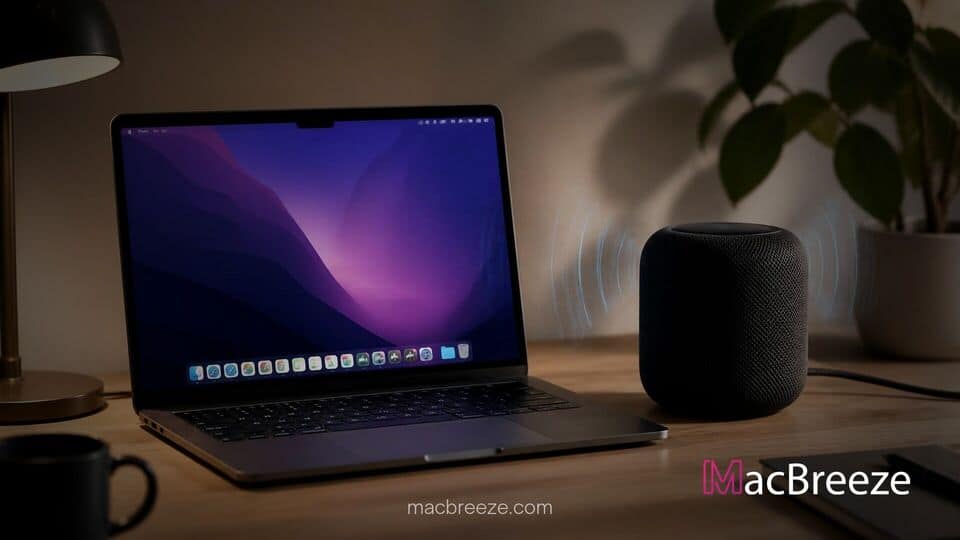
Apple has expanded desktop audio routing, enabling select Mac computers to route full system audio directly to HomePod smart speakers as their default sound output. The feature allows users to transmit all system sounds, video playback, notification chimes, and call audio without relying on traditional AirPlay media handoffs.
By upgrading the underlying connection protocols, supported desktop and laptop Mac models can treat single HomePod units or stereo pairs as primary system outputs. This capability resolves long-standing latency issues that previously made default HomePod output impractical for interactive Mac applications.
Mac System Audio Output Support: Overview and Hardware Requirements
The updated system audio integration relies on modern wireless chipsets to maintain low latency and stable playback across macOS applications. While earlier macOS versions permitted streaming music or video to HomePods via AirPlay, system-wide alerts and interactive app audio often suffered from synchronization delays.
Apple limits full default speaker support to specific hardware tiers. On the computer side, users need a Mac model equipped with native Wi-Fi 6E connectivity or newer. This hardware standard was broadly adopted across Apple silicon chips starting in 2023, covering recent revisions of the MacBook Pro, MacBook Air, Mac mini, Mac Studio, iMac, and Mac Pro.
Supported Mac and HomePod Hardware Requirements
To establish full system audio routing, both the host computer and the target smart speaker must meet specific requirements:
- Compatible Macs: Any Mac model featuring Wi-Fi 6E or later hardware.
- Compatible Speakers: Second-generation HomePod models and the HomePod mini 2.
- Network Environment: A unified local Wi-Fi setup ensuring both devices communicate over fast, low-latency bands.
Older hardware, such as first-generation HomePod mini units or Intel-based Mac models, remains restricted to standard AirPlay streaming. While legacy setups can stream media from apps like Apple Music or QuickTime, they cannot be selected as persistent system-wide default outputs. This distinction is critical as Apple allows developers to drop Intel Mac support in software updates, shifting advanced real-time networking capabilities toward modern Apple silicon architecture.
How macOS System Settings Routes Audio to HomePod
Setting up a HomePod as the default speaker is handled directly inside macOS System Settings. Once the speaker is configured within the Apple Home app on the same local network, it appears alongside internal speakers and wired audio interfaces under the Sound menu.
When designated as the active output device, macOS routes all system alerts, browser media, video conferencing calls, and third-party software audio to the HomePod. Users can adjust master volume directly from the macOS menu bar, media keys, or physical control surfaces on the HomePod itself.
Wi-Fi 6E Connectivity Requirements and Performance
The decision to gate default speaker functionality behind Wi-Fi 6E hardware stems from latency and bandwidth demands. Traditional AirPlay 2 streaming introduces a buffer delay to guarantee smooth video playback synchronization. While effective for movies, buffering creates unacceptable lag for system notification chimes, interface clicks, and real-time audio editing.
Wi-Fi 6E operates over the 6 GHz spectrum, providing wider channels and drastically reduced congestion compared to older 2.4 GHz and 5 GHz bands. This extra throughput enables high-bitrate, uncompressed audio transmission with negligible buffer overhead. As a result, software alerts and typing feedback play in near-instant sync with on-screen actions.
Impact for Mac Desktop and Mobile Workspaces
For users seeking clean workspace setups, native HomePod system output offers a wireless alternative to dedicated desktop computer speakers. A single HomePod mini 2 or a stereo pair of full-sized HomePods can serve as an all-in-one sound solution for work setups, eliminating clutter on workstation desks.
This feature arrives as macOS expands its audio and peripheral ecosystem. While power users previously relied on workarounds inside the built-in Audio MIDI Setup utility or third-party menu bar utilities to group AirPlay targets, native OS support provides a much smoother experience. However, users operating older desktop systems or managing storage constraints like those seen where macOS 27 Apple Intelligence storage footprint exceeds 30GB will need to ensure their hardware satisfies all wireless connectivity prerequisites.
As Apple continues aligning hardware capabilities across its smart home and Mac lineups, low-latency wireless audio integration bridges the gap between smart home accessories and desktop productivity setups.