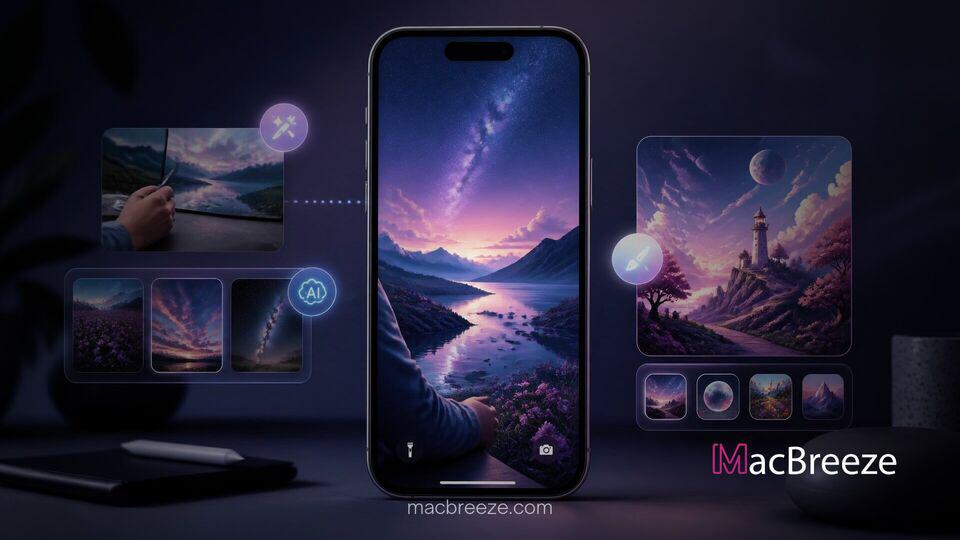
Apple has expanded its system customization capabilities with the release of iOS 27, bringing generative artificial intelligence capabilities directly into the iPhone Lock Screen setup. The software update introduces dedicated tools that allow users to generate synthetic images from scratch or automatically expand existing personal photos to fit display dimensions.
By integrating Apple Intelligence features into the display picker, the operating system reduces reliance on external photo editing software when setting up custom Lock Screen wallpapers. These changes build on Apple's broader platform effort to bring machine learning features into everyday user interface interactions.
New AI Tools for the iOS 27 Lock Screen
With the release of iOS 27, Apple has integrated generative intelligence natively into the Lock Screen interface, addressing long-standing layout restrictions when setting up personal backgrounds. The operating system now leverages the Neural Engine to analyze image composition and automatically adjust content to fit modern iPhone displays.
Rather than forcing users to manually crop images or accept intrusive borders, the updated wallpaper editor analyzes missing edge data. This implementation connects directly with the broader suite of editing enhancements present in Apple Photos in iOS 27.
Generative Wallpapers With Image Playground
The system update incorporates Apple's Image Playground app directly into the Lock Screen picker. Users can access Image Playground directly from the wallpaper gallery without opening a separate application. The software generates stylized wallpapers based on selected photos or text prompts provided in natural language.
When generating backgrounds, the system outputs images sized specifically for iPhone aspect ratios, avoiding awkward scaling issues. Preset stylistic options include choices like animation and retro illustration, allowing users to transform personal photos into stylized artwork. Generated images are clearly marked with an Image Playground badge in the gallery to distinguish AI creation from standard media.
Intelligent Canvas Expansion With Extend
Alongside full image creation, iOS 27 introduces a dedicated feature called Extend within the Lock Screen setup screen. The tool uses machine learning to automatically generate extra visual context around the edges of a photo when pinched inward to adjust zooming.
If an image is cropped too tightly or does not match the native aspect ratio of the iPhone screen, selecting Extend prompts Apple Intelligence to fill the empty top, bottom, or side spaces with realistic background textures. The generated fill blends smoothly into existing imagery, ensuring subjects remain centered without losing detail to severe cropping.
Additional Display and Control Options
Beyond generative editing capabilities, iOS 27 adds several layout refinements designed to offer finer control over visual elements and media playback on the Lock Screen.
Media Player Swipe Adjustments
Apple has adjusted how media playback interfaces respond on the Lock Screen. The Now Playing widget can now be swiped away or dismissed more easily, allowing users to restore full view of their custom wallpaper when audio playback is paused.
Compact Clock Formatting and Placement
To reduce screen clutter, iOS 27 introduces a compact clock formatting option. Users can resize the Lock Screen clock or relocate it into the top widget row alongside smaller system widgets. Moving the clock out of the central screen area frees up visual space, allowing custom backgrounds and extended photo details to remain fully visible.
Availability and System Compatibility
The new Lock Screen wallpaper options are available as part of the iOS 27 update. While basic display tweaks are broadly accessible across supported devices, features powered by Apple Intelligence, including the Extend tool and generative Image Playground options, require hardware featuring the A17 Pro chip or later. Users can check for software updates via Settings to access these new display features.
Overall, these updates streamline wallpaper creation by combining layout flexibility with built-in generative fill, providing users with greater control over their device's daily aesthetic.