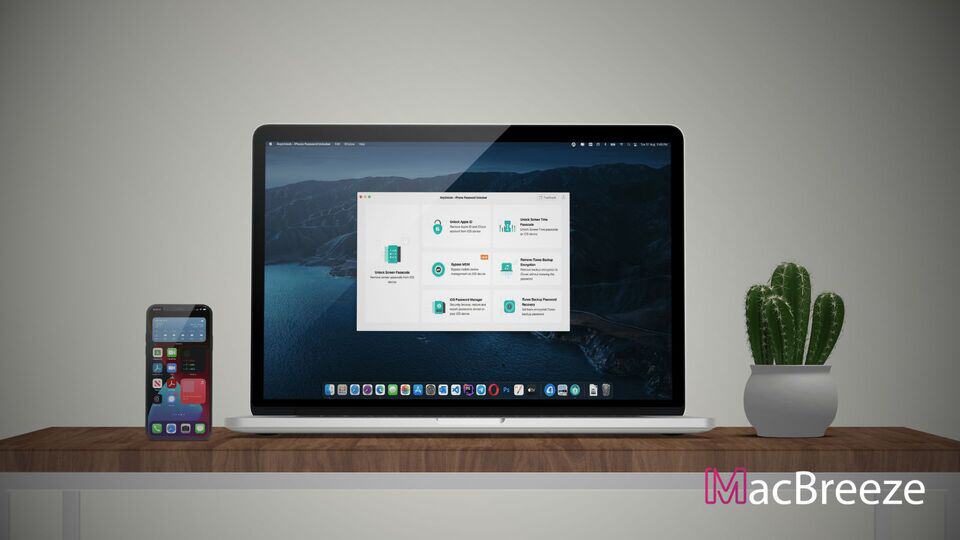
Do you need a clear and detailed AnyUnlock review? You are in the right place to know about this iPhone Password Unlocker from a neutral point of view.
Forgetting the passcode of an iPhone or iPad can be very stressful. You may try different manual methods, but they can take time and may feel confusing if you are not a technical user. This is where an iPhone Password unlocker like AnyUnlock can help.
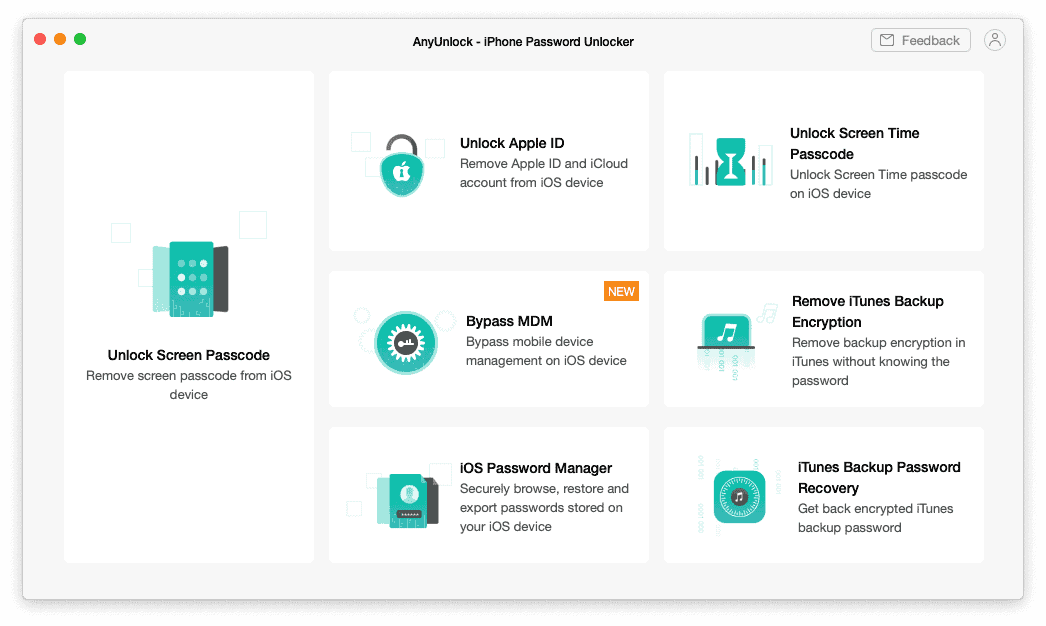
AnyUnlock by iMobie is designed to remove different types of iPhone and iPad locks, including screen passcode, Apple ID, MDM, Screen Time passcode, iTunes backup encryption, and more.
But the main question is: does AnyUnlock really work, and is it worth using? In this AnyUnlock review, I will explain its features, performance, pricing, pros, cons, and real-world usability in simple words.
iMobie AnyUnlock Review
To make this AnyUnlock review useful, I tested the software on Apple devices and also checked its latest official feature list, compatibility details, and user feedback. I also compared its interface and unlocking options with other similar iPhone password unlocker tools.
Overall, AnyUnlock is a simple but powerful tool for people who are locked out of their own iPhone, iPad, or iPod touch. However, it is important to use it only on devices you own or have legal permission to unlock.
System Requirements:
AnyUnlock is lightweight software. You do not need a very powerful computer to run it. It works on both Windows and Mac. Here are the updated system requirements:
| Processor | Windows: Intel or AMD 1 GHz or above Mac: Intel or Apple Silicon 1 GHz or above |
| RAM | Windows: 256 MB or more Mac: 512 MB or more |
| Disk Space | 500 MB or more recommended |
| Operating System | macOS 10.13 High Sierra or later, including newer macOS versions Windows 11, 10, 8, 7, and Vista, both 32-bit and 64-bit |
| Other | iTunes may be required on Windows for proper device connection and driver support |
Features & Technical Specifications:
AnyUnlock is not only a screen passcode remover. It is an all-in-one iPhone unlocker with many useful tools. Before going deeper into the features, here are the basic technical details:
| Software Name | AnyUnlock - iPhone Password Unlocker |
| Publisher | iMobie |
| Reviewed Version | Latest available version at the time of review |
| Supported Languages | English, Japanese, German, French, Spanish, Arabic, and more depending on version |
| Supported iOS Devices | All iPhone, iPad, and iPod touch series, from older models to the latest supported models |
| Supported iOS/iPadOS Versions | iOS/iPadOS 5 to iOS/iPadOS 27 according to iMobie’s current compatibility information |
Here are the main features of AnyUnlock:
- Unlock iPhone and iPad screen passcode
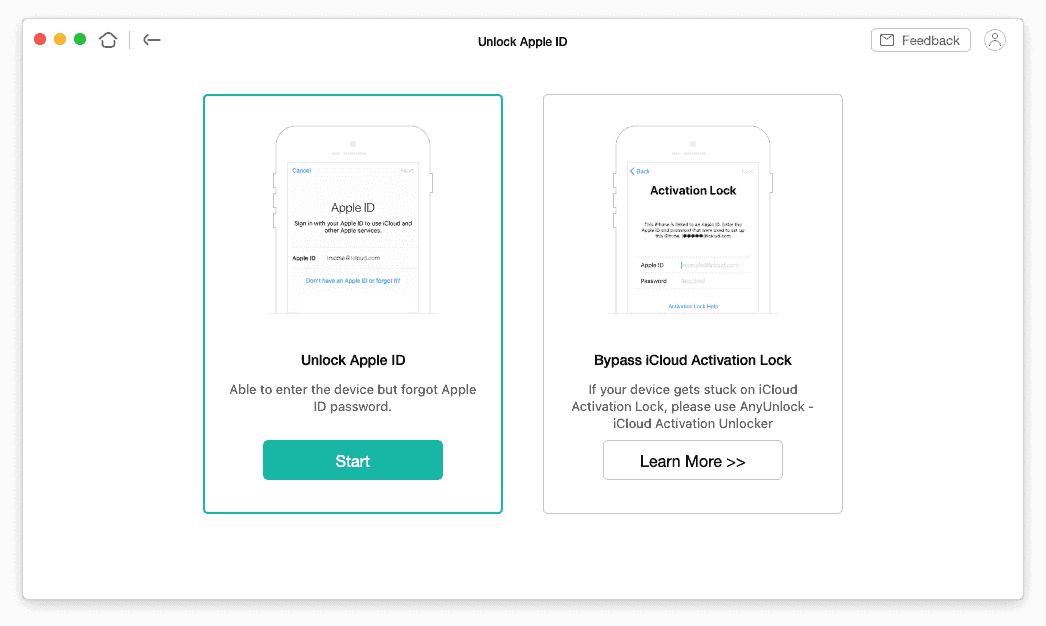
- Remove Apple ID from iOS devices
- Bypass iCloud Activation Lock
- Bypass or remove MDM lock
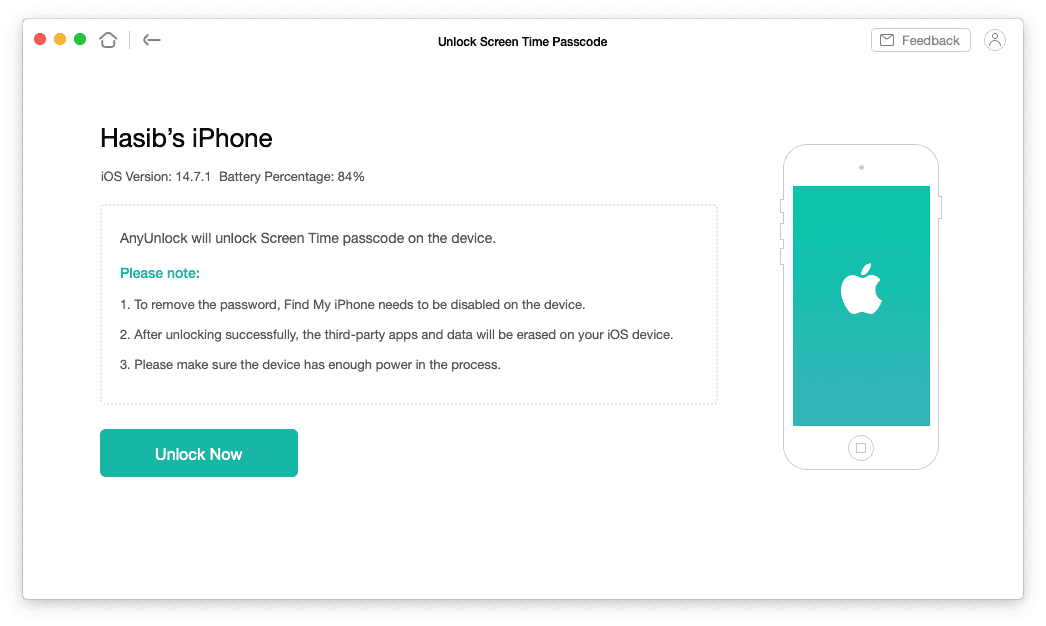
- Remove Screen Time passcode
- Remove iTunes or Finder backup encryption
- Recover iTunes backup password
- Manage and export saved iOS passwords
- Remove SIM lock in supported cases
- Check device information before buying a used iPhone or iPad
- Turn off camera shutter sound in supported regions and devices
Unlock All Types of Screen Passcode
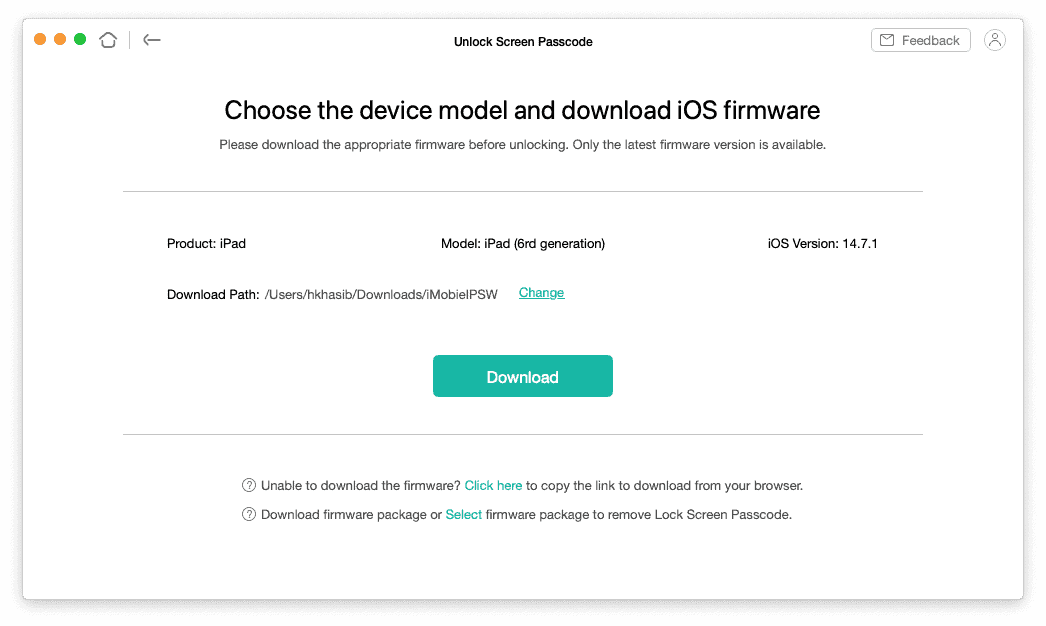
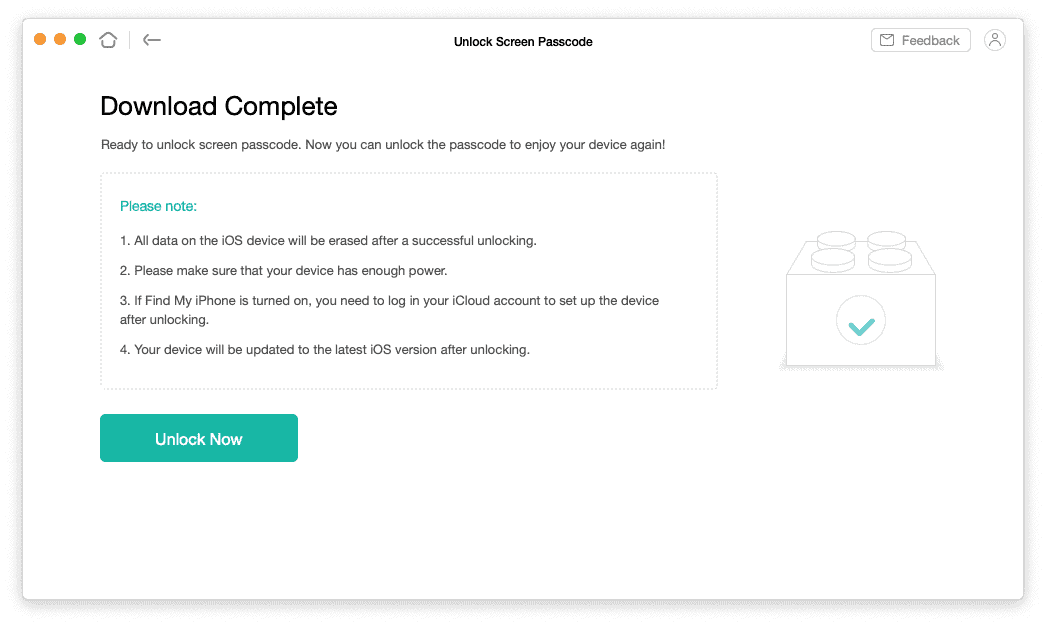
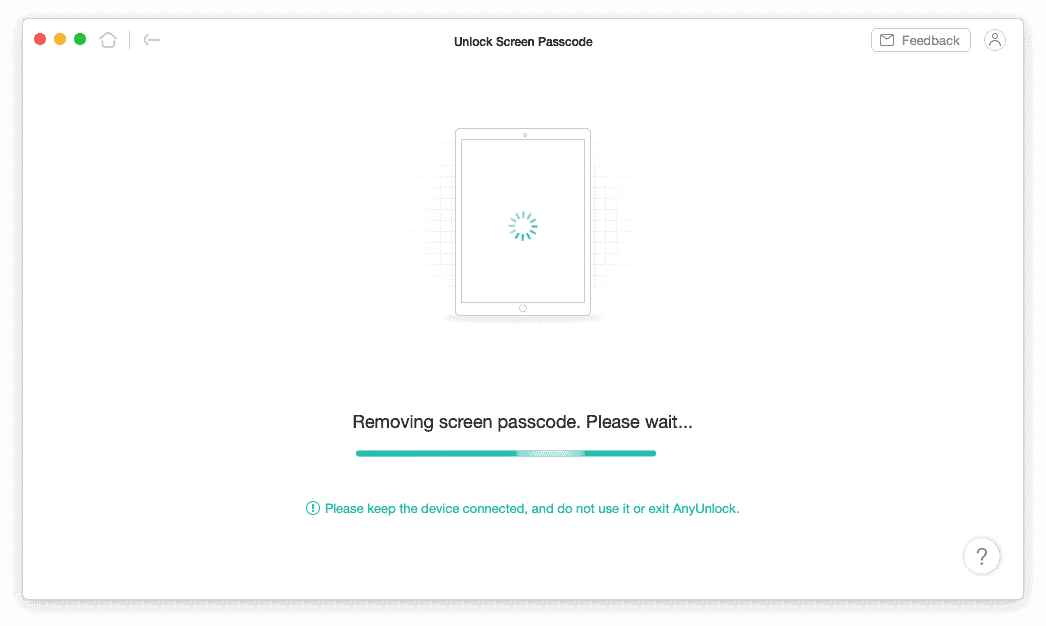
The most important feature of AnyUnlock is screen passcode removal. It can help if you forgot your iPhone passcode, entered the wrong passcode too many times, bought a second-hand device with a locked screen, or cannot unlock the device because Face ID or Touch ID is not working.
AnyUnlock supports different types of screen locks, including 4-digit passcodes, 6-digit passcodes, custom numeric passcodes, custom alphanumeric passcodes, Face ID, and Touch ID. The process is easy because the software guides you step by step.
However, you should remember one important thing: removing the main screen passcode usually erases the device. So, if you have important data, you should check whether you have an iCloud or local backup before starting.
Unlock Apple ID
Forgetting your Apple ID password can create many problems. You may not be able to sign out, download apps, turn off some Apple services, or use the device normally. AnyUnlock can remove the Apple ID from an iPhone or iPad in supported situations, so you can sign in with another Apple ID later.
This feature is useful if the device belongs to you and you cannot remember the Apple ID password. It may also help if you bought a used device and the previous Apple ID is still connected. But for safety and legal reasons, you should always make sure the device is yours or you have permission to unlock it.
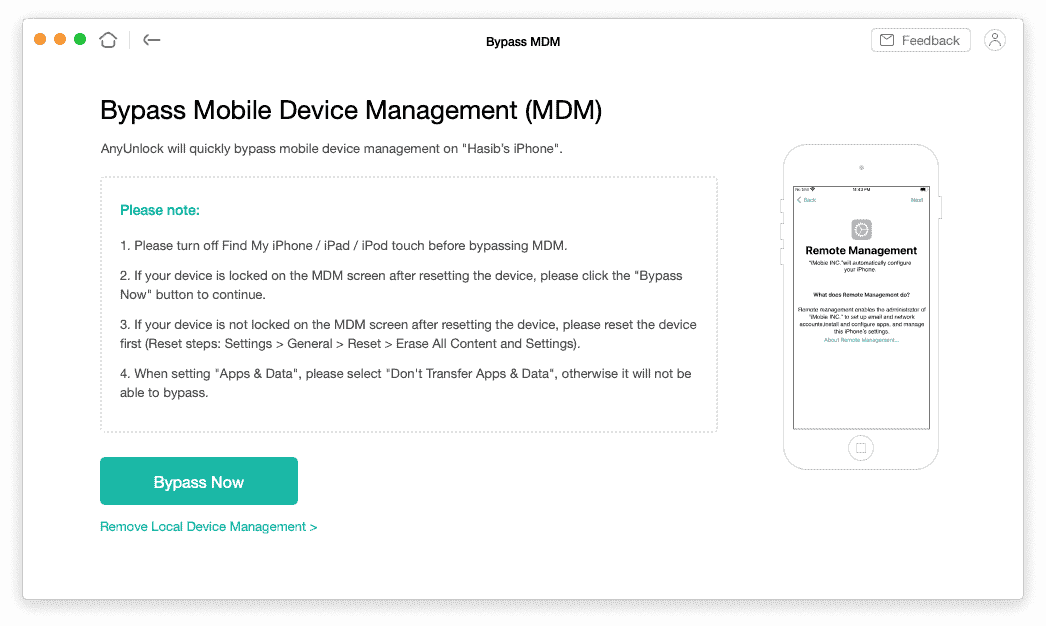
Bypass or Remove MDM
MDM means Mobile Device Management. It is often used by schools, offices, and organizations to control iPhones and iPads. If your device is stuck on a Remote Management screen or has MDM restrictions, it can be very hard to use normally.
AnyUnlock iPhone Password Unlocker can bypass both local and remote MDM locks in supported cases. The process does not require complex technical steps. You only need to connect the device, choose the MDM option, and follow the instructions on the screen.
This feature is especially helpful for users who bought a used iPhone or iPad and later found that it was still managed by an organization. Still, you should not use this feature on a company, school, or government device without permission.
iTunes Backup Encryption Remover and Password Recovery
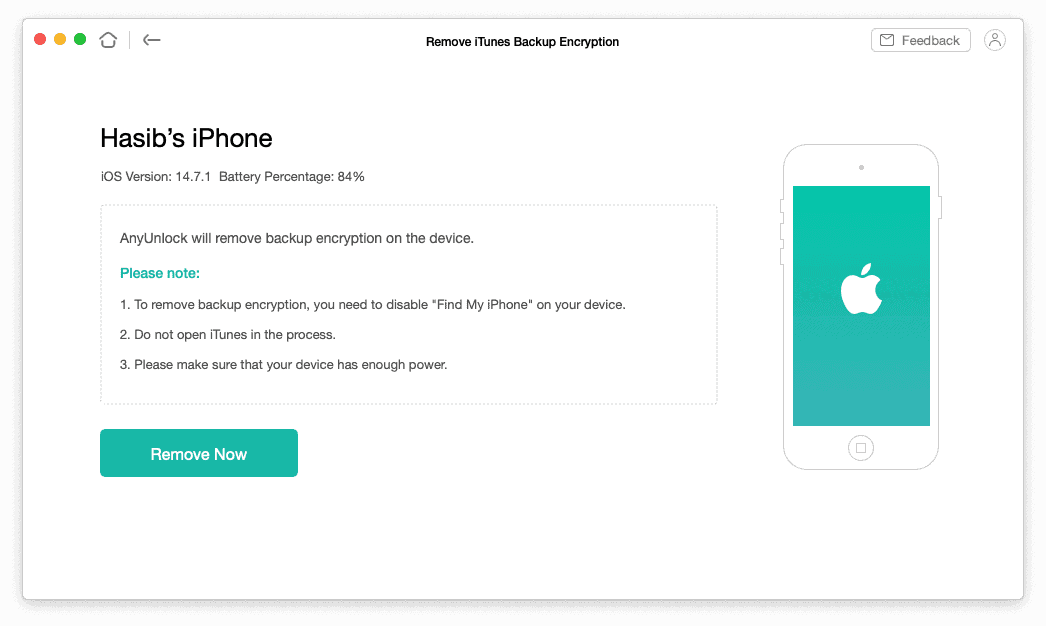
If you created an encrypted iTunes or Finder backup and forgot the password, restoring your iPhone from that backup becomes difficult. AnyUnlock can help you recover the backup password or remove backup encryption in supported cases.
The good thing is that this feature does not damage your backup files. It is useful when you need to restore an old backup but cannot remember the password. After fixing the encryption issue, you can back up your iPhone again without the same problem.
iOS Password Manager
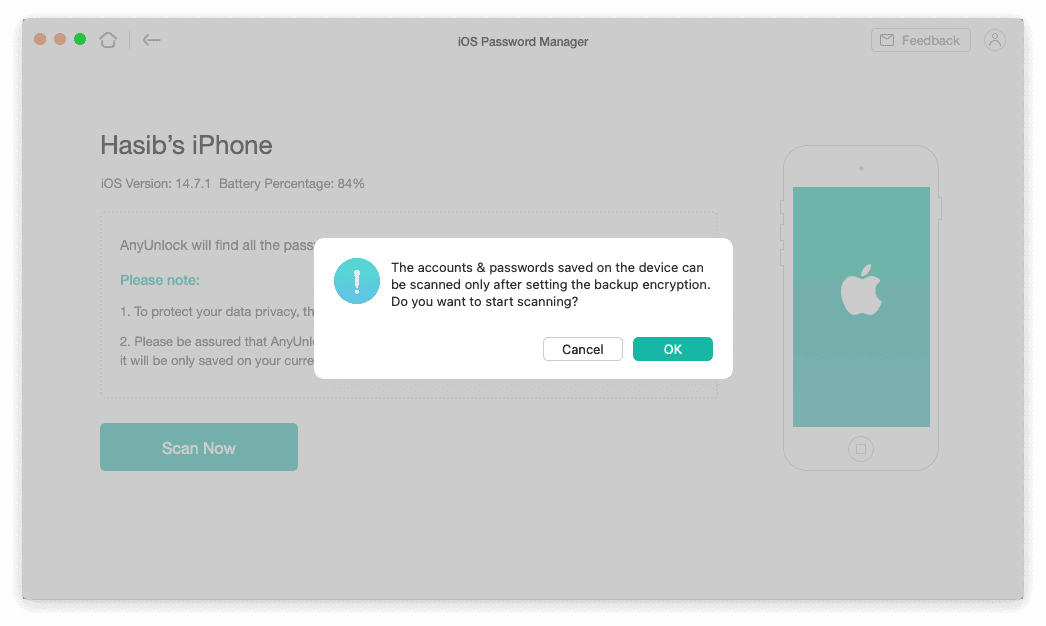
Many people save passwords on their iPhone but later forget where those passwords are stored. AnyUnlock includes an iOS Password Manager that can scan saved passwords on your device and help you view them in one place.
It can show saved Wi-Fi passwords, website passwords, app passwords, email account passwords, and other saved login information. You can also export the passwords and move them to another password manager if needed.
This is a useful extra feature, especially if you are moving from one device to another or want to organize your saved passwords better.
User Interface:
AnyUnlock has a clean and beginner-friendly interface. The main tools are shown clearly on the home screen, so you do not need to search through many menus. Each feature has simple instructions, and the software explains what you should do before starting the unlock process.
The design is modern, light, and easy to understand. The icons are clear, the text is readable, and the steps are not confusing. Even if you have never used an iPhone unlocker before, you should be able to understand the basic workflow within a few minutes.
One thing that could make the interface better is a proper dark mode. The current light design looks good, but a dark theme would be more comfortable for users who work at night.
AnyUnlock Review: Performance & Real-World Use
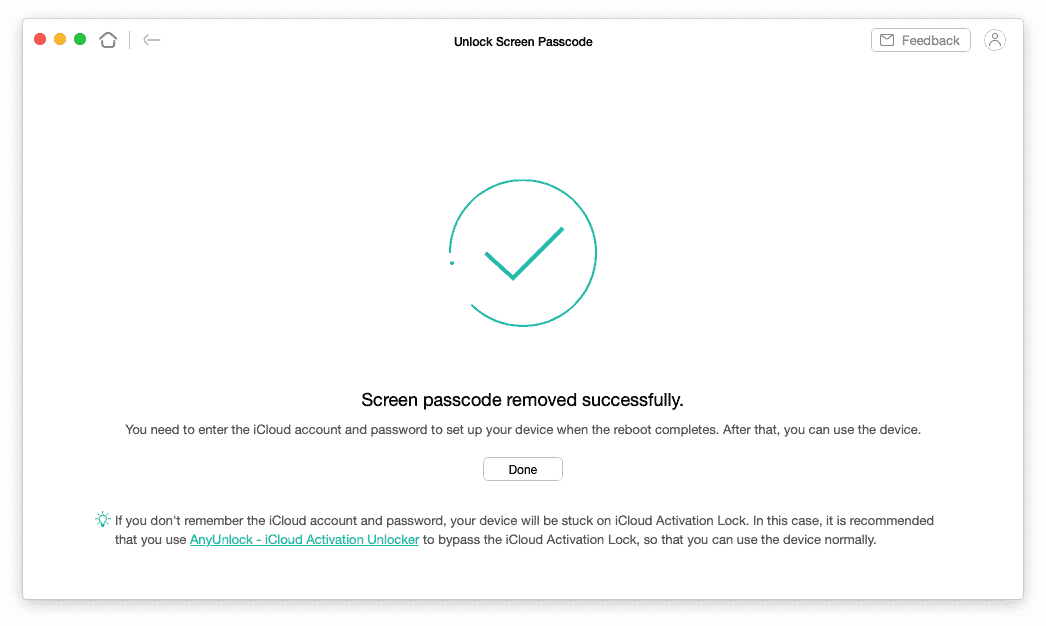
I used AnyUnlock to understand how it works in real life. The setup process was simple. After installing the software, I opened it, connected the iPhone or iPad with a USB cable, selected the correct unlock option, and followed the on-screen guide.
The software responded quickly, detected the connected device properly, and showed the next steps clearly. In my test, the unlock process completed successfully. The exact time may depend on your internet speed, computer performance, device model, and the type of lock you are removing.
Screen Time Passcode Can Be Removed without Data Loss
One of the best things about AnyUnlock is that Screen Time passcode removal can be done without losing data in supported cases. This is different from screen passcode removal, which usually requires erasing the device.
In my test, the Screen Time passcode removal worked without deleting personal files. So, this feature is useful for parents, personal users, or anyone who forgot the Screen Time passcode but still wants to keep the device data safe.
How Does AnyUnlock Work?
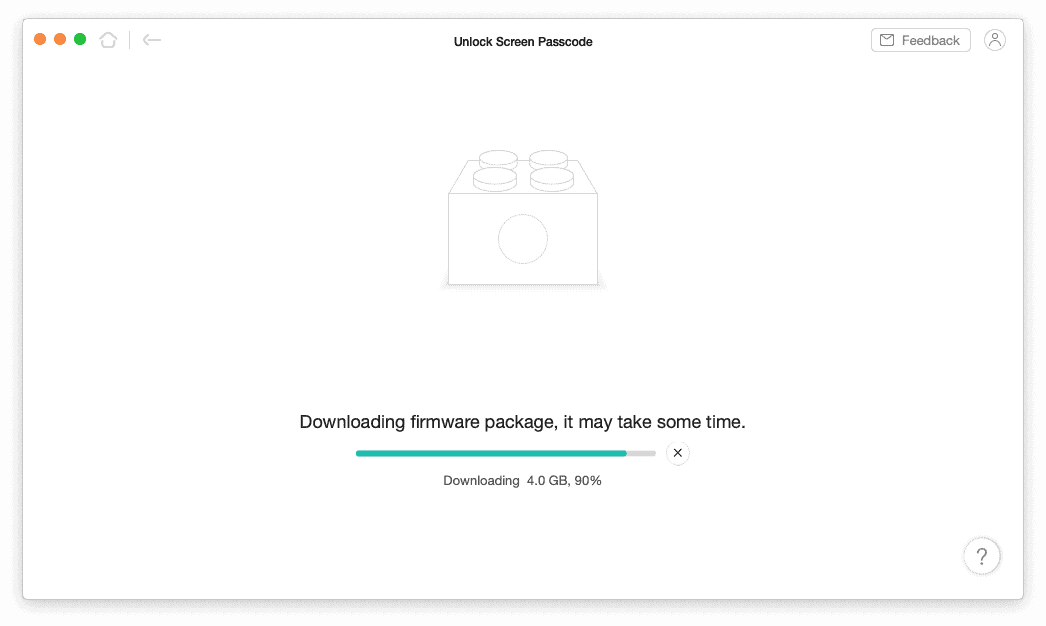
The working process is simple. First, install AnyUnlock on your Mac or Windows PC. Then connect your iPhone, iPad, or iPod touch using a proper USB cable. After that, choose the unlock mode you need, such as Screen Passcode, Apple ID, MDM, Screen Time, or iTunes Backup Password.
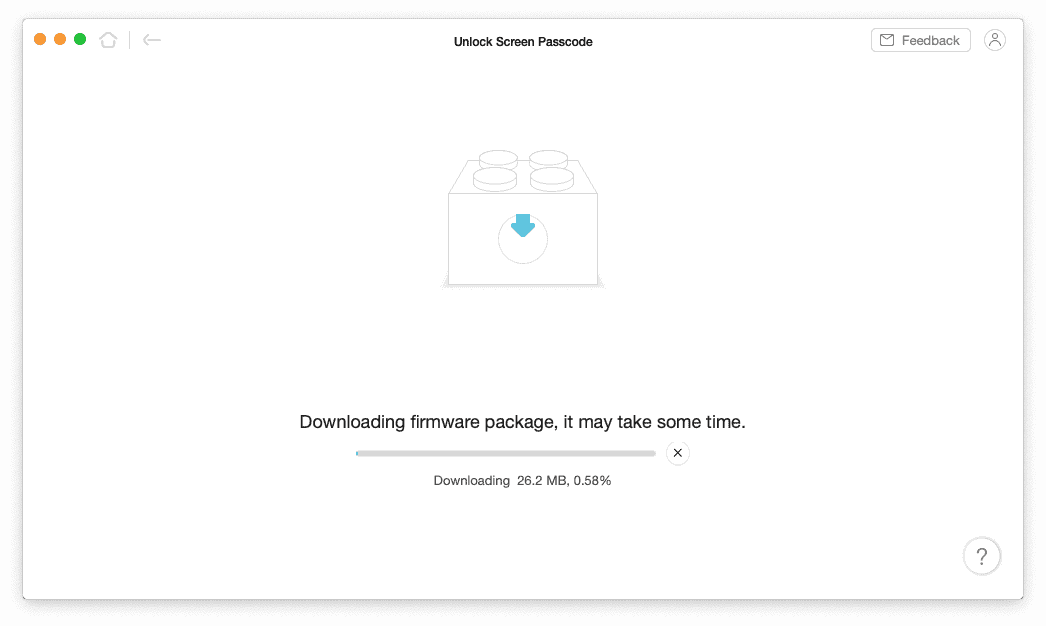
For some unlock modes, AnyUnlock may download the required firmware package and use it to reset or repair the device. During this process, you must not disconnect the device. Disconnecting the cable during firmware download, verification, or unlocking may cause problems.
Before removing a passcode or restoring firmware, it is also wise to understand the difference between iPhone local backup vs iCloud. A proper backup can save your important photos, messages, contacts, and app data.
Performance & Responsiveness
AnyUnlock felt smooth and responsive during my use. The menus opened quickly, the device detection worked well, and the instructions were easy to follow. I did not notice any major lag or crash during the test.
On modern Macs, including Apple Silicon Macs, AnyUnlock should run without major issues. Windows users should make sure that iTunes or the required Apple drivers are installed so the device can connect properly.
Overall, the performance is good. It does not feel heavy, and it does not require advanced technical knowledge.
Price:
Effortlessly unlock iPhone, iPad, and iPod screens, remove Apple ID, and bypass various locks without data loss. (8.2/10)
Brand: iMobie
Compatibility: iOS 5 – iOS 27
Unlock Types: Screen Passcode, Apple ID, MDM, Screen Time
Free Trial: Yes (limited functions)
Data Loss: Minimal in supported scenarios
Password Manager: Built-in
Try NowAnyUnlock is free to download, but the free version mainly lets you check the software and device compatibility. To complete the unlocking process, you need a paid license.
Pricing may change from time to time because iMobie often runs discounts and limited-time offers. At the time of this update, iMobie shows a discounted 1-year subscription offer at around $59.99 for the full toolkit. However, if you want to try a single feature only, the pricing may start from 15.99 USD for a month or 19.99 USD for a year, depending on your needs.
Some pages may also show different plans based on platform, region, coupon, or selected feature.
| Plan Type | Validity | Best For |
|---|---|---|
| 1-Year Subscription | 1 Year | Users who need AnyUnlock for current iPhone or iPad unlocking needs |
| Lifetime License | Lifetime access depending on selected plan | Users who may need the tool several times in the future |
| Short-Term License | Usually 3 months, depending on offer availability | Users who need the software for one short unlocking task |
AnyUnlock also comes with a 60-day money-back guarantee. iMobie says users can get a refund if the unlock fails under the refund policy conditions. Before buying, it is better to check the official pricing page because discounts and plan details can change.
Pros:
- Easy to use, even for beginners
- Supports many iPhone and iPad lock types
- Works on both Windows and Mac
- Supports old and newer iOS/iPadOS versions
- Screen Time passcode can be removed without data loss in supported cases
- Can remove MDM restrictions in supported cases
- Includes iOS password manager and backup password tools
- Clean interface with clear step-by-step instructions
- 60-day money-back guarantee
Downsides:
AnyUnlock works well, but it is not perfect. The biggest downside is that it is not a fully free tool. You can download it for free, but you need a paid license to unlock devices completely.
Another important point is data loss. Some features, especially screen passcode removal, may erase your iPhone or iPad. So, users should understand the risk before starting. Also, pricing can vary depending on the selected plan, platform, offer, or region, which may feel confusing.
Lastly, while AnyUnlock supports many lock types, results can still depend on your device model, iOS version, lock condition, and Apple’s security changes. So, it is always better to check compatibility before purchasing.
Final Verdict:
AnyUnlock by iMobie is a useful iPhone unlocker for people who forgot their passcode, got stuck with Screen Time restrictions, need to remove MDM, forgot an iTunes backup password, or cannot access their Apple ID in supported situations.
It has a clean interface, simple steps, and a strong set of unlocking tools. In my real-world test, the software worked smoothly and completed the task successfully. The best part is that it combines several unlocking features in one place, so you do not need separate tools for screen passcode, MDM, Screen Time, backup encryption, and saved password management.
However, you should use AnyUnlock carefully. Some unlocking methods can erase your device, and you should only use it on devices that belong to you or that you have permission to unlock.
After reading this AnyUnlock review, you should have a clear idea about whether it is suitable for you. My suggestion is to download it first, check whether your device and lock type are supported, and then buy a license only if it matches your needs.